



https://shop.pimoroni.com/products/bme680
The state-of-the-art BME680 breakout lets you measure temperature, pressure, humidity, and indoor air quality.
We've created an easy installation script that will install all pre-requisites and get your BME680 up and running with minimal efforts. To run it, fire up Terminal which you'll find in Menu -> Accessories -> Terminal on your Raspberry Pi desktop, as illustrated below:
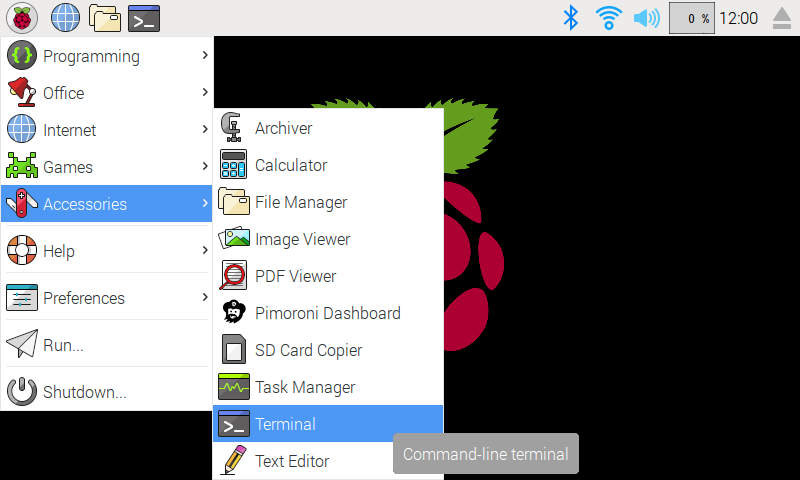

In the new terminal window type the command exactly as it appears below (check for typos) and follow the on-screen instructions:
git clone https://github.com/pimoroni/bme680-python
cd bme680-python
./install.sh
Note Libraries will be installed in the "pimoroni" virtual environment, you will need to activate it to run examples:
source ~/.virtualenvs/pimoroni/bin/activate
If you want to contribute, or like living on the edge of your seat by having the latest code, you can install the development version like so:
git clone https://github.com/pimoroni/bme680-python
cd bme680-python
./install.sh --unstable
In all cases you will have to enable the i2c bus:
sudo raspi-config nonint do_i2c 0
- Guides and tutorials - https://learn.pimoroni.com/bme680-breakout
- Get help - http://forums.pimoroni.com/c/support