

The Open-Source AI Customer Support Platform.
AI-driven customer support with a Widget, a self-improving knowledge base, and a feedback board — cut manual support time by 90% and save your support team significant time and effort. Open source. Self-hostable.





English | 简体中文
🌟 Website | Documentation | Live Demo | Discussions
- Support demand grows unnoticed. Early-stage teams answer users themselves, until repetitive inquiries create rising costs and operational drag.
- Product knowledge falls out of sync. Product changes can leave documentation and AI responses outdated.
- Core teams lose focus. Product and engineering are repeatedly pulled into support, slowing delivery.
- Human handoffs break continuity. Without full context, customers have to repeat themselves and resolution slows down.
- Customer feedback lacks structure. Scattered requests and bugs make patterns, priorities, and support impact difficult to see.
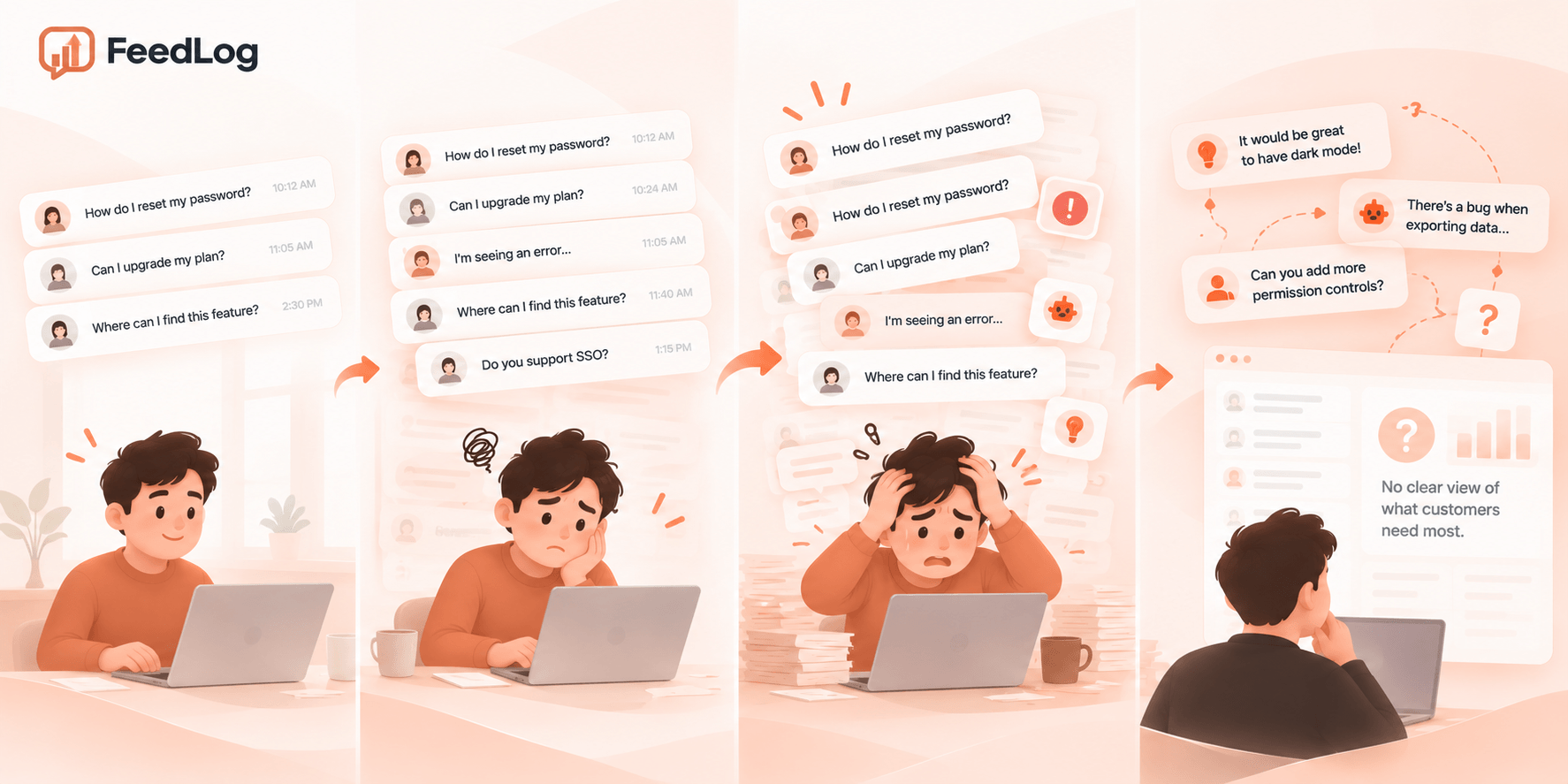
You may not think you need customer support yet. But if a founder, product manager, or engineer is answering user questions, you already have it.
FeedLog helps you keep the value of customer support without turning it into a full-time cost: AI answers recurring questions from your product knowledge, while people step in only when human judgment is needed.
Every SaaS team should be able to listen to and help its customers without letting support consume its time or budget. FeedLog's Widget and Inbox help teams hear users and answer their questions; Feedback and Roadmap connect those voices to product plans; and Changelog brings shipped improvements back to the customers who asked for them. Customer support keeps creating value without becoming a burden.
FeedLog-AI-Customer-Support-in-60-Seconds.mp4
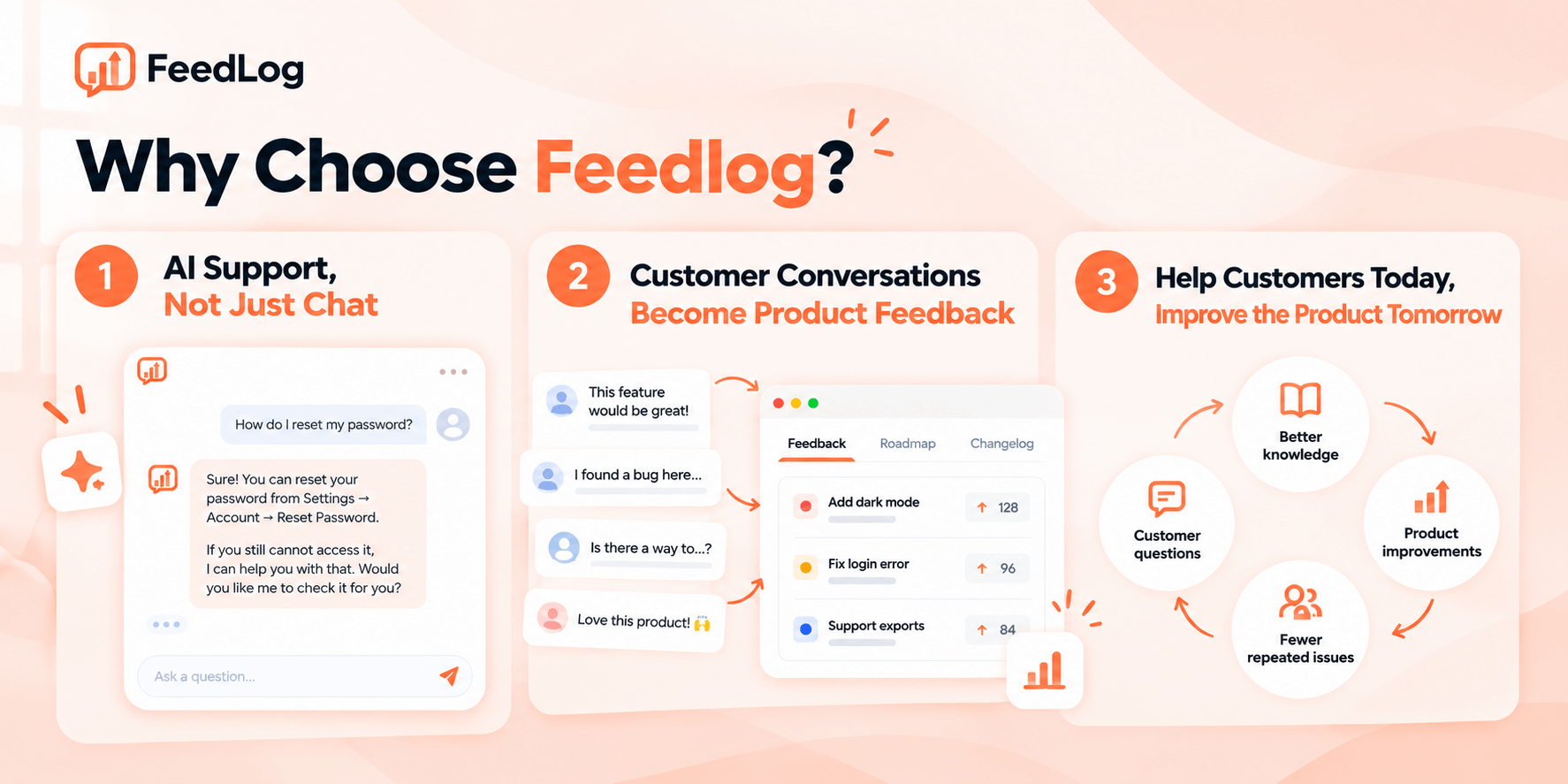
FeedLog connects customer support and product work in one continuous loop.
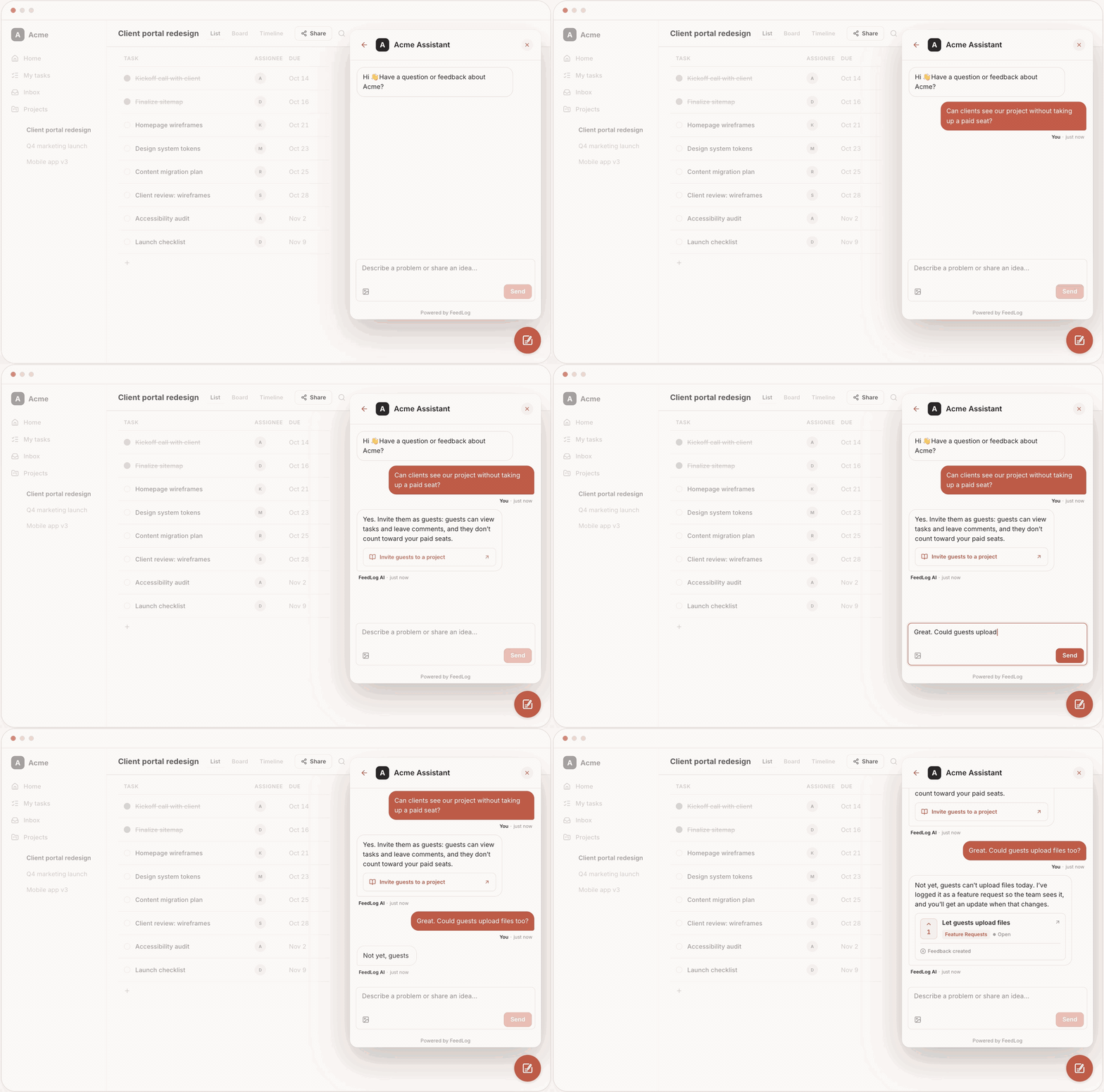
Give customers AI support and feedback in one place — reducing repetitive work and capturing clearer product signals.
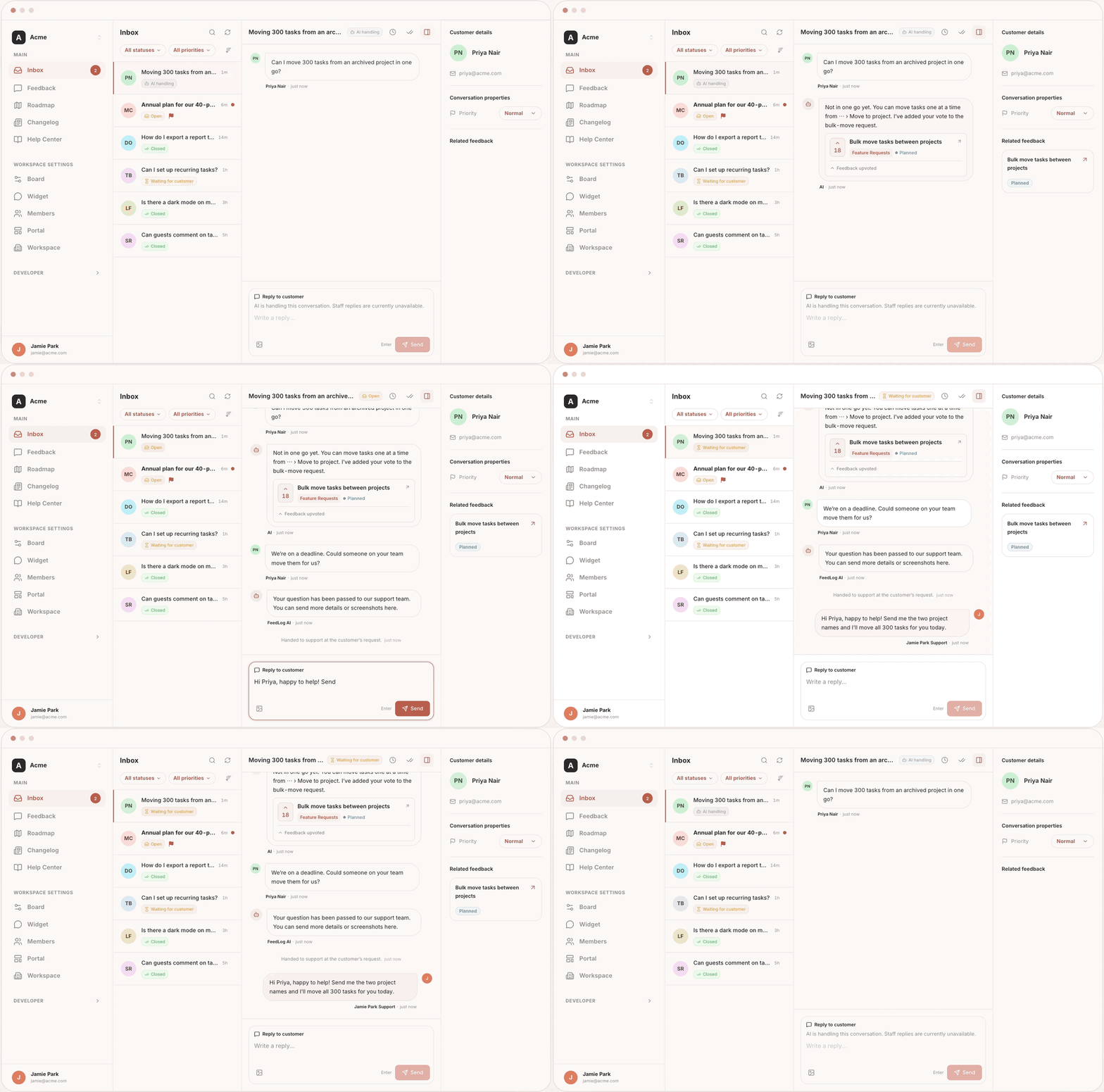
Bring AI and human support into one inbox, so your team can take over complex cases with full context and resolve them faster.
Give your AI Agent the latest product knowledge and context to answer repetitive questions reliably — reducing manual support work and improving with every conversation.
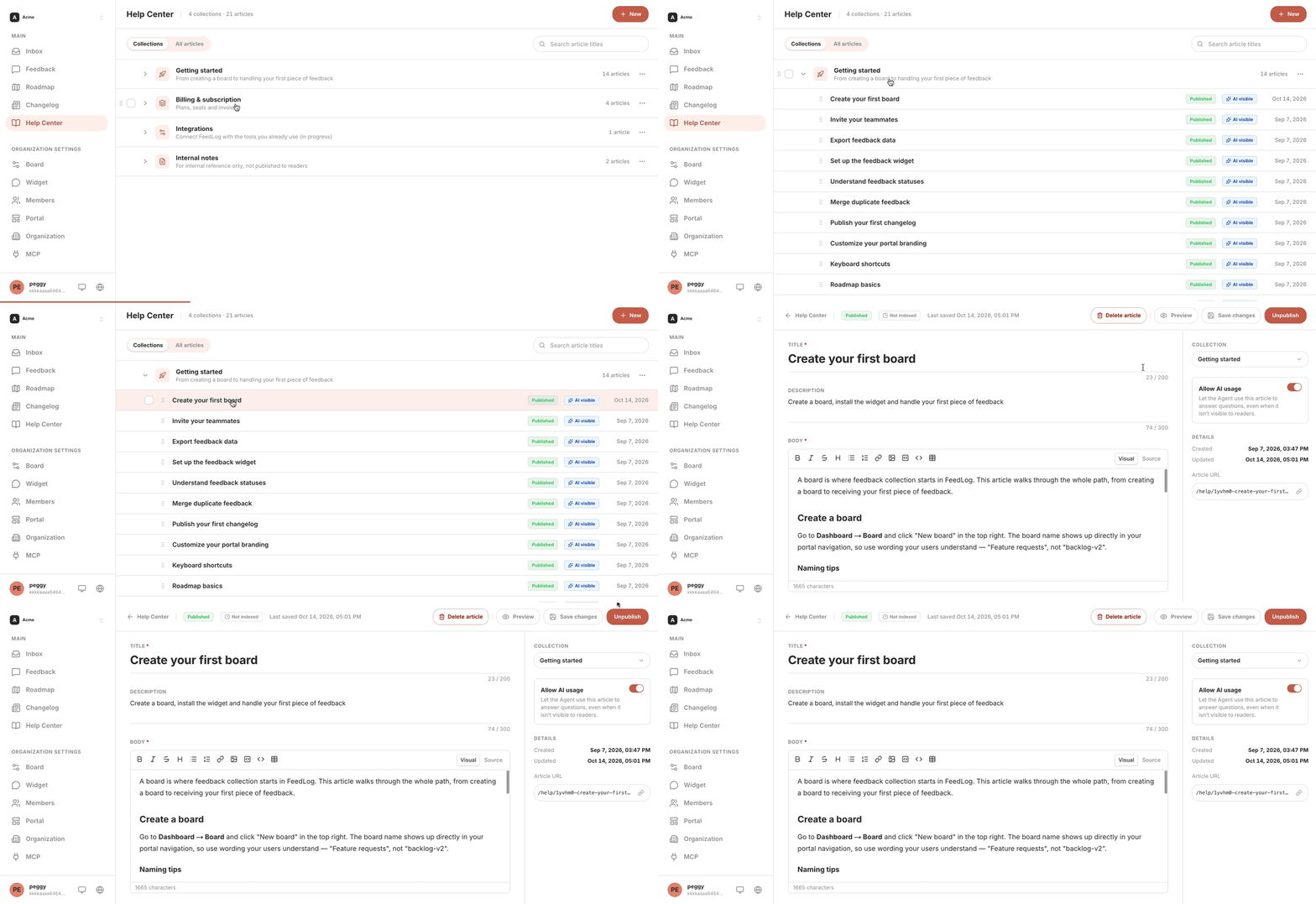
Turn conversations into clear priorities — so teams know what to build and customers see their feedback shipped.
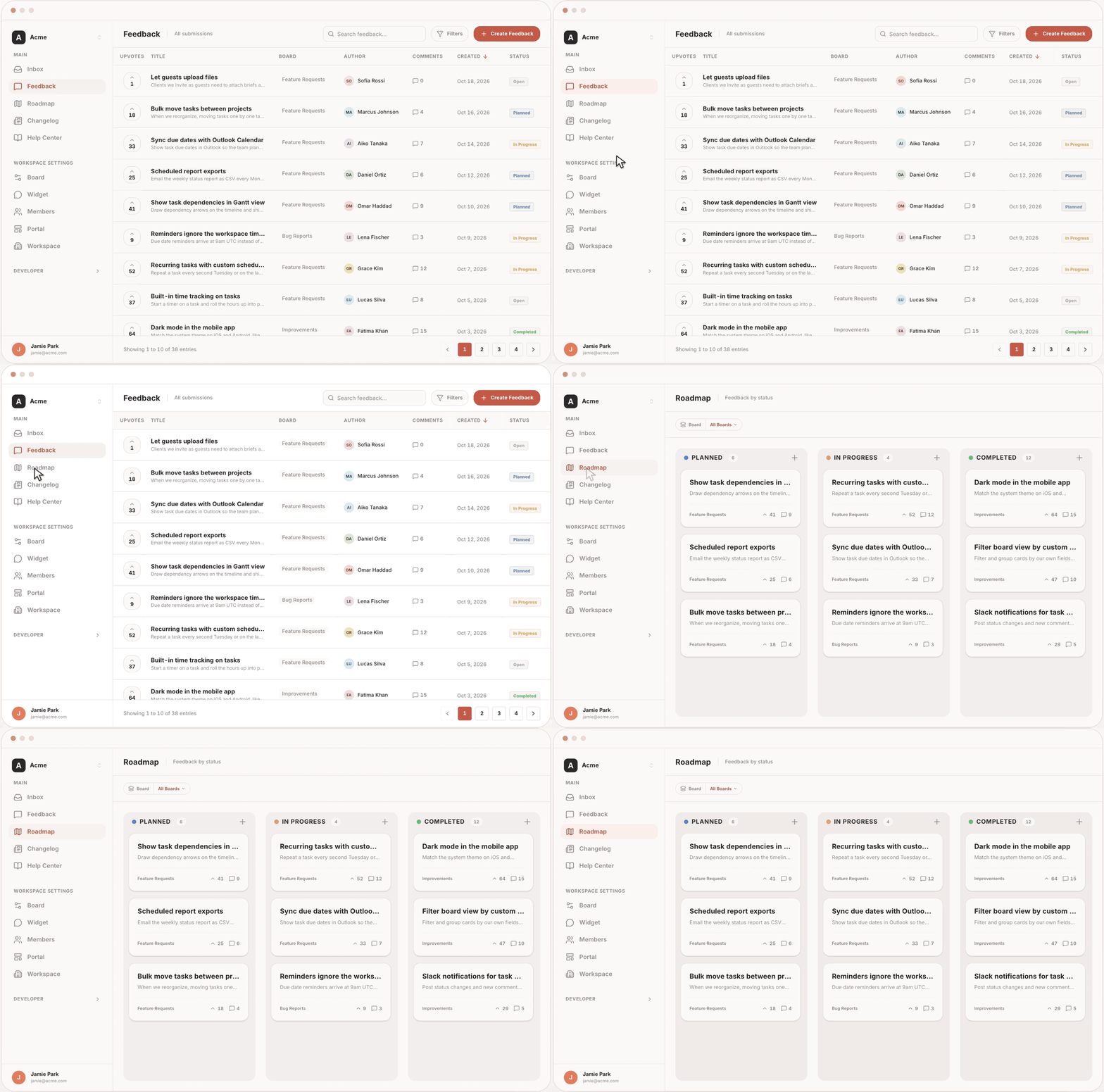
See FeedLog in action: feedback.feedlog.ai
We use FeedLog to support our users, collect feedback, and manage our product roadmap.
Explore how AI-powered customer support helps SaaS teams answer questions faster, reduce manual work, and turn customer feedback into product improvements.
- answer the same customer questions repeatedly;
- need a clear path from AI support to human support;
- want customer conversations to inform product decisions.
Get FeedLog running in three stages:
- Start FeedLog.
- Prepare your AI support.
- Add the Widget to your product and test it.
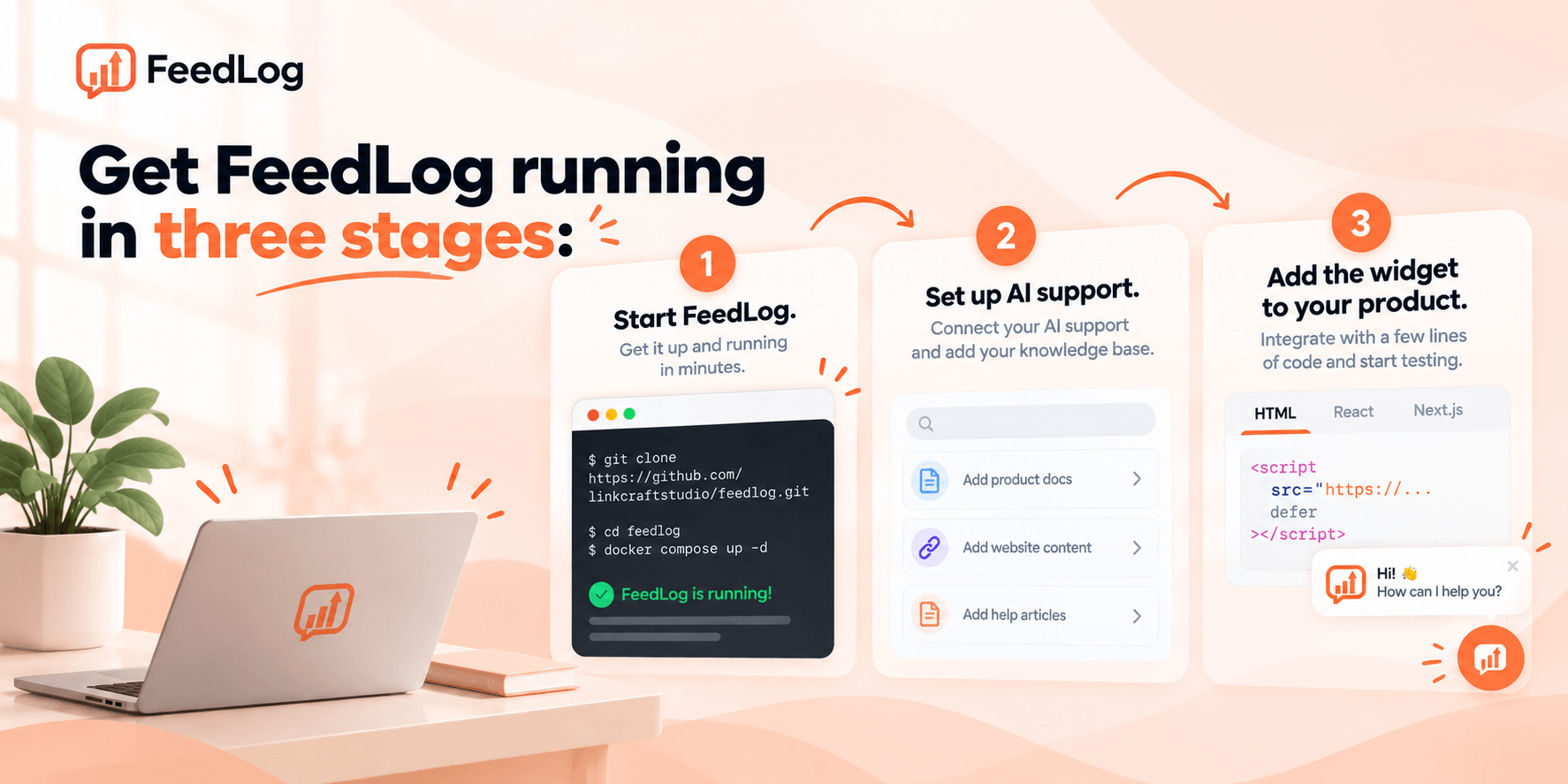
If you are not sure which deployment option to choose, start with Hosted.
The easiest way to get started. FeedLog runs the service for you, so you do not need to prepare a server or database.
Choose Self-Hosted if you want to run FeedLog on your own infrastructure. FeedLog requires PostgreSQL 17+ with the vector extension.
Deploy on a cloud platform
Both platforms fork the repo into your account and prompt for the required environment variables. Build and deploy run automatically.
| Deploy to Cloudflare Workers | Deploy with Vercel |
|---|---|
See the Cloudflare Workers guide and the Vercel guide.
Deploy with Docker
git clone https://github.com/linkcraftstudio/feedlog.git
cd feedlog
echo "BETTER_AUTH_SECRET=$(openssl rand -hex 32)" > .env
echo "SYSTEM_ADMIN_EMAILS=you@example.com" >> .env
docker compose up -d
FeedLog will be available at http://localhost:3000. See the Docker guide.
Important
Set SYSTEM_ADMIN_EMAILS before you create your account. An email listed there becomes the workspace owner when it signs up; accounts created before their email was listed are not promoted later. Without an owner, nobody can manage the dashboard. See the configuration reference for all environment variables.
Self-hosted installations also require a configured model service for AI features. See the Self-Hosting Guide for deployment options and configuration details.
Open the Help Center in your FeedLog workspace and create articles for:
- Common product workflows
- User permissions and feature limits
- Common problems and troubleshooting
- Situations that require human support
Enable Allow AI usage for the articles that FeedLog Agent should use.
Start with the questions your support team receives most often. You do not need to document everything before trying FeedLog.
Before launching Agent:
- Review your feedback boards and separate bugs, feature requests, and improvements.
- Open Settings → Widget.
- Add your support email.
- Set the situations that should receive human support guidance.
- Decide how customers sign in: allow guest access in Workspace → Guest permissions, or connect your existing product accounts with SSO.
FeedLog Agent uses the same Widget integration. No separate Agent installation is required.
See the Agent Setup Guide.
Install the Widget package:
npm install @feedlog/widgetInitialize it in your application:
import { createWidget } from '@feedlog/widget'

createWidget({
  baseUrl: 'https://your-workspace.feedlog.ai',
  theme: 'auto',
})
Copy your workspace URL from Settings → Widget and set it as baseUrl. If your product already has user accounts, see the Widget and SSO Guide.
Open the Widget on a test page and check:
- Ask a question covered by your Help Center.
- Ask a follow-up question.
- Submit a bug or feature request.
- Ask for human support with an account-related problem.
- Check that the feedback is saved correctly.
Once everything works as expected, make the Widget available to your customers.
| Feature | Description |
|---|---|
| FeedLog Agent | Answers product questions from your Help Center and manages feedback through natural conversations. |
| Product Widget | Lets customers ask questions, read help articles, and submit feedback inside your product. |
| Help Center | Create searchable collections and articles, and choose which content Agent can use as product knowledge. |
| Inbox | Manage Widget conversations, human handoffs, and reply email notifications in one place. |
| Feedback Boards | Organize bug reports, feature requests, and improvements with posts, voting, comments, and status workflows. |
| Similar Feedback Detection | Find related feedback and merge duplicate requests before they become fragmented. |
| Roadmap | Share planned, in-progress, and completed work through a public roadmap. |
| Changelog | Publish product updates and draft release notes with AI from your update notes and related feedback. |
| Human Support Guidance | Configure support emails and rules for billing, account, privacy, and other requests that require human help. |
| Authentication and SSO | Support email/password, Google, GitHub, guest access, and existing product accounts. |
⭐ Star FeedLog on GitHub and stay up to date with our latest releases and improvements!

| Layer | Choice |
|---|---|
| Framework | Nuxt 4 with Vue 3, Nitro, and TypeScript |
| Database | PostgreSQL 17+ with pgvector for embeddings |
| ORM / Driver | Drizzle ORM with postgres-js |
| Authentication | better-auth with email/password, Google OAuth, GitHub OAuth, and admin roles |
| AI | OpenAI-compatible API, including OpenAI, Azure OpenAI, LiteLLM, and Ollama |
| Blob Storage | Cloudflare R2, Vercel Blob, or any S3-compatible storage |
| State Management | Pinia |
| UI | Tailwind CSS v4, shadcn-vue, and Lucide Icons |
| Editor | Tiptap 3 and CodeMirror 6 |
| Deploy Targets | Cloudflare Workers, Vercel, and Node.js Docker |
| Package Manager | pnpm |
FeedLog works with AI applications and coding agents through MCP and Skills.
- FeedLog MCP — Connect Claude, ChatGPT, Claude Code, Codex, Cursor, and other MCP-compatible clients to authorized FeedLog organizations. Query and manage feedback, boards, duplicate requests, Help Center articles, and changelogs through natural language.
- FeedLog Skills — Give coding agents FeedLog product knowledge, integration instructions, and task guidance. Use Skills to integrate the Widget and SSO, draft Help Center articles from your codebase, and handle routine FeedLog tasks.
Install FeedLog Skills in your project:
npx skills add linkcraftstudio/feedlog-skillsMCP provides access to your FeedLog organization data. Skills help coding agents understand FeedLog and work with your project code. They can be used together or separately.
Learn more in the MCP and Skills Guide.
FeedLog is built in public and shaped by the teams using it. Our roadmap focuses on making customer support more useful for SaaS teams and making the connection between support, feedback, and product development easier to manage.
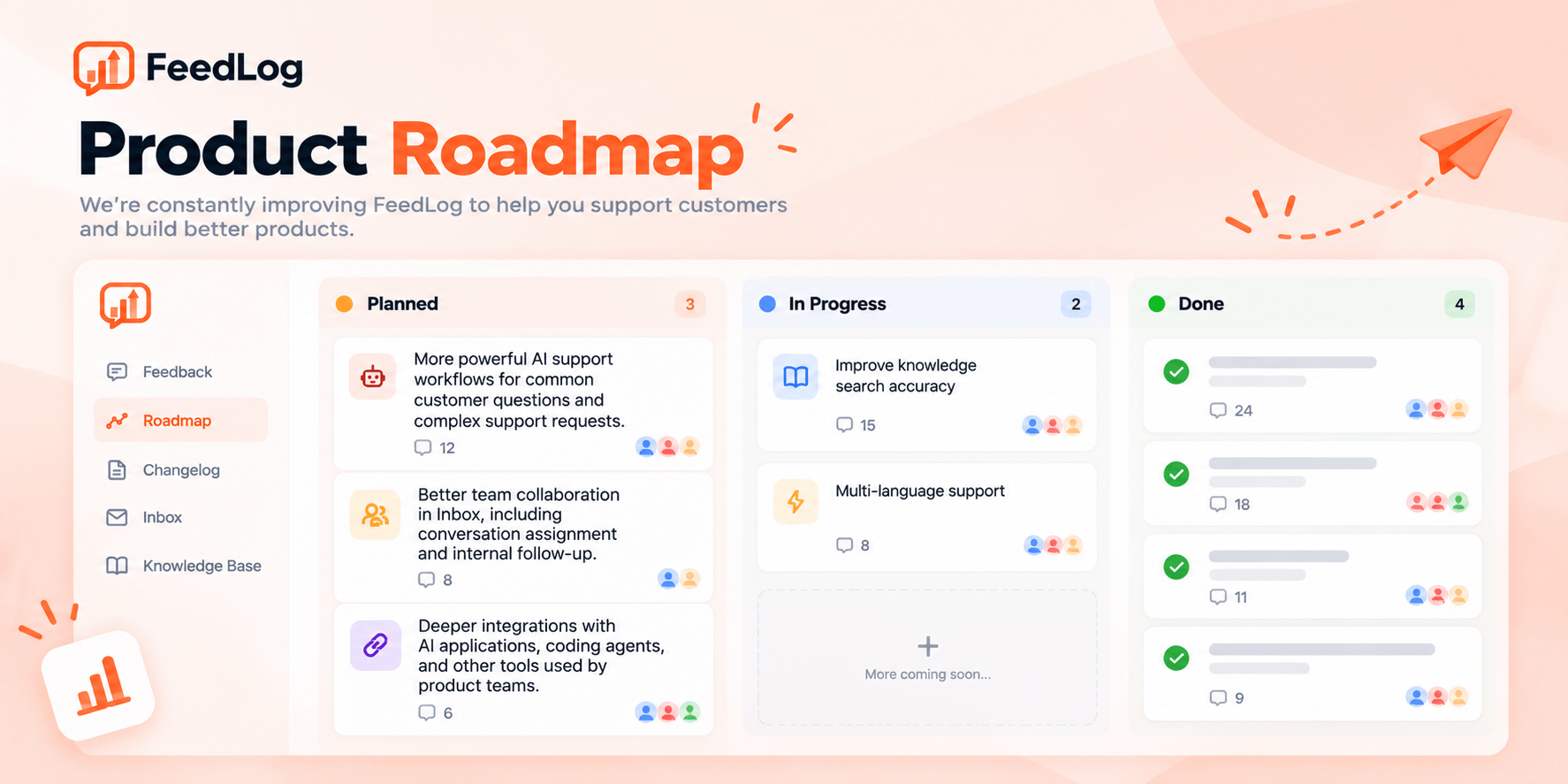
Follow the public roadmap to see what is planned, in progress, and completed.
Pull requests for code, documentation, and tests are welcome. To report a bug, suggest an improvement, or ask where to start, use the channels in Community & Contact.
You need Node.js, pnpm, and a PostgreSQL 17+ database with the vector extension.
git clone https://github.com/linkcraftstudio/feedlog.git
cd feedlog
pnpm install
cp .env.example .env  # fill in DATABASE_URL, BETTER_AUTH_SECRET, SYSTEM_ADMIN_EMAILS
pnpm migrate          # initialize database schema
pnpm dev              # http://localhost:3000
See CONTRIBUTING.md for the full development setup and PR process.
- All commits are signed off under the DCO (
git commit -s). - See
CODE_OF_CONDUCT.md.
For more information, please contact feedlog.oss@outlook.com.
-
GitHub Issues: Report bugs, request features, and track development. Submit an issue
-
Discord: Get real-time support, chat with the community, and stay updated. Join us
-
GitHub Discussions: Share ideas, ask questions, and discuss product use cases. Join the discussion
-
Documentation: Learn how to deploy, configure, and use FeedLog. Read the docs
-
WeChat Community: Scan the QR code below to join our WeChat community.
-
Security: Report security vulnerabilities privately by email. See our Security Policy.

MIT © 2026 LinkCraft Studio