A Saga is your own written account of running apps on ElfHosted. You draft it with Sam, ElfHosted's assistant, and publish it on your own GitHub Pages site. Honest, accurate Sagas from qualifying accounts earn hosting credit, whether they're positive or critical: see the guide. This template turns the files from your ElfBot Saga export into a clean, readable site.
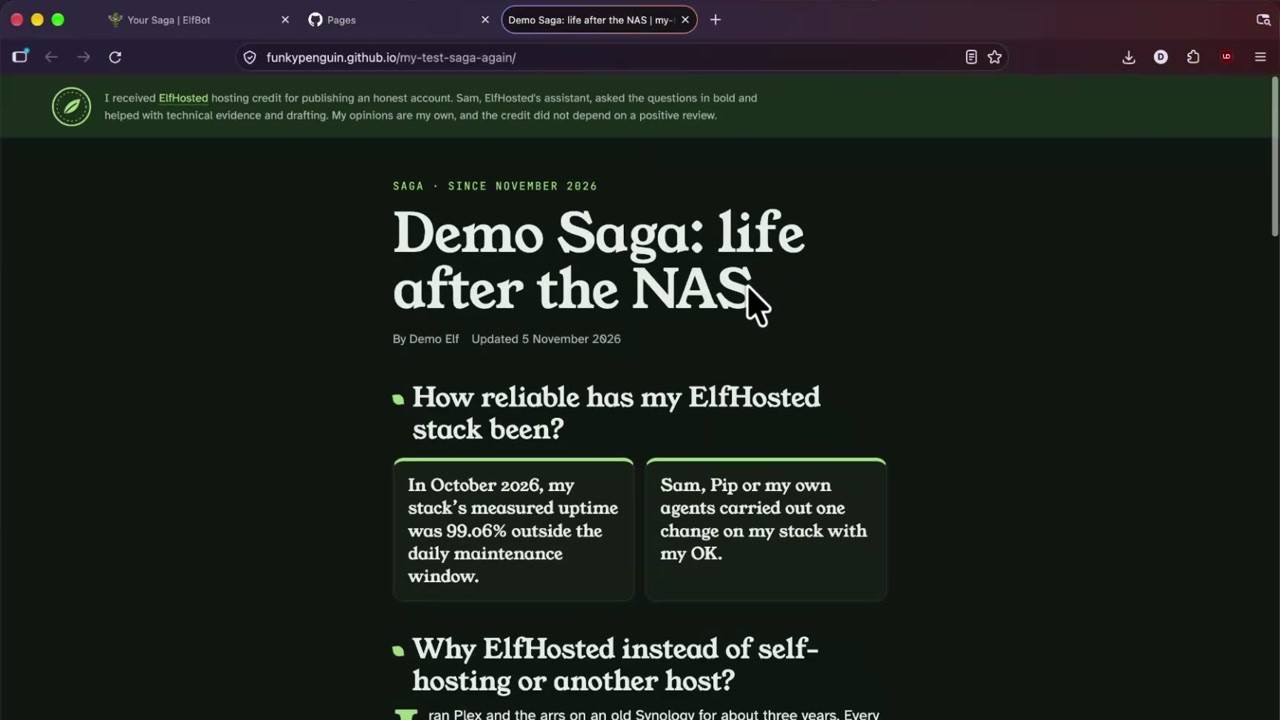
Watch it done start to finish in two minutes, or read the guide in the ElfHosted docs.
ElfBot's Saga page walks you through this, with links filled in for your account.
- In ElfBot, check your Saga and choose Download my Saga. You get up to three files:
index.md, andavailability.svgandog.pngwhen your Saga has a chart and a share picture. - Click Use this template at the top of this page, then Create a new repository. Make it public.
- In your new repository, choose Add file, then Upload files. Click choose your files, open your Downloads folder and select the files together (hold Cmd on a Mac or Ctrl on Windows as you click), or drag them onto the page. Choose Commit changes. Your
index.mdreplaces the sample Saga, and the sample chapter drops out of the list. If your browser added a number to a name because you downloaded it before, such asindex (1).md, use the newest copy and rename it back to exactlyindex.md,availability.svgorog.pngfirst. - Go to the Settings tab at the top, then Pages in the menu on the left. Under Build and deploy, choose Deploy from a branch, pick the
mainbranch and the/ (root)folder, then save. Your site appears athttps://USERNAME.github.io/REPOwithin a minute or two. - Back in ElfBot, paste that address into Send us your link. ElfBot checks the page for your Saga ID and the note, then sends it to ElfHosted to confirm your reward.
Open index.md and set two lines near the top:
style: long-read
palette: forest
styleislong-read(an essay),uptime-log(a log of short entries with the chart up front) orat-a-glance(cards in a grid).paletteisforest,dusk,ember,tideorgraphite. Each one has a light and a dark version that follow the reader's device.
If a value is missing or misspelled, the site uses long-read and forest. Your description there is what search engines and link previews show.
Create a file in chapters/ named for the year and month, such as chapters/2027-01.md:
---
layout: chapter
title: "January 2027"
date: 2027-01-20
---

What happened this month.
It shows up in the chapter list on your Saga page, newest first. To use a chart, put an .svg file in assets/ and add  to the chapter.
- Set
authornear the top ofindex.mdto a pseudonym, or remove the line to show no name. - Commits carry the git author name and email you used. Check them with
git config user.nameandgit config user.email, and use a pseudonym and your GitHub noreply address if you want to stay private. - Your GitHub profile and username are visible too. Check them before you share the link. Your username is part of the default site address.
The repository and the site belong to you. Edit the text freely, and delete the repository or turn off Pages at any time to take it down.
Every page shows a short note that you wrote it for ElfHosted's Saga programme, which offers hosting credit for an honest account, and that your opinions are your own. It lives in _layouts/default.html, not in your content, so editing index.md doesn't change it. It has to stay in place for the reward, and so does the Saga ID at the foot of the page, which shows the site is yours.
MIT. See LICENSE.