Repository navigation
Windows installer has poor dpi scaling #6959
Description

Steps to reproduce
Execute Installer on a Windows machine with a high resolution and dpi scaling turned on.
In my case 1080p and 125% scaling.
Expected behavior
Clean interface with sharp font
Actual behavior
very blurry fonts during installation
Environment data
dotnet --info output:
.NET Command Line Tools (1.0.1)
Product Information:
Version: 1.0.1
Commit SHA-1 hash: 005db40
Runtime Environment:
OS Name: Windows
OS Version: 10.0.14393
OS Platform: Windows
RID: win10-x64
Base Path: C:\Program Files\dotnet\sdk\1.0.1
Reacted by Immo Landwerth, JesperTreetop, Kevin Jones, VassilSanych, Joshua "Yoshi" Askharoun and Poopooracoocoo
Activity
terrajobst commentedon Mar 27, 2020
Is this something we could tackle for .NET 5? Most of our customers should have high DPI monitors now and the installer screen looks quite unwelcoming this way :-(
terrajobst commentedon Mar 27, 2020
From @robmen on Twitter:
So unless we're willing to roll our own UI, it's probably cost prohibitive for .NET 5.
robmen commentedon Mar 27, 2020
You don't have to go as far as to roll your own UI. Someone just needs to teach
thmutil(the UI technologywixstdba.dlluses) high-DPI. That can be done by volunteer effort or approaching @firegiantco to contract the work.Just because it hasn't been our priority (aka: not @firegiantco's customers' priority) doesn't mean it shouldn't be done. 😄
kg commentedon Sep 16, 2020
If you override the DPI scaling mode for the installer in explorer's properties, the installer scales up just fine:


I'm not sure if you can opt into this mode with a manifest like you can with the older DPI awareness modes, but it would be ideal. I tried setting it to fully DPI aware (like what you get with a .manifest) but it doesn't scale to system DPI, for some reason the font sizes are all in pixels.
Poopooracoocoo commentedon Nov 28, 2020
microsoft's own surface devices have hidpi screens...
Gnbrkm41 commentedon Oct 6, 2022
.NET 6/7 installer has the same problem, even after nearly 5 years since the issue has been opened! sad.
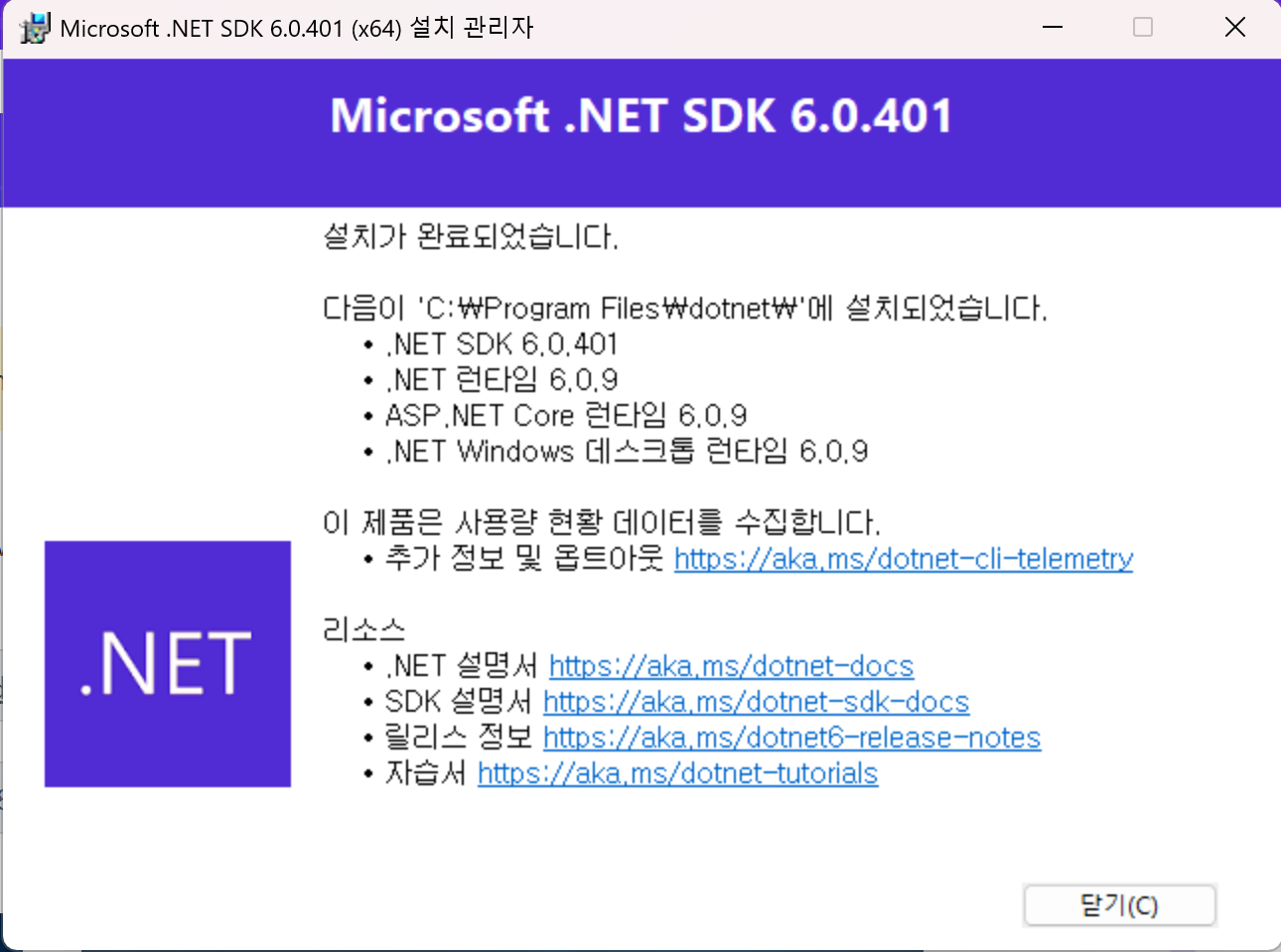
joeloff commentedon Nov 3, 2026
DPI support should be fixed in .NET 10 as that's when we migrated to WiX 5