


I make Steam Gaming Mode do more.
Plugins and tools for the Steam Deck, Bazzite, SteamOS and the ASRock BC-250, built to be used with a controller, from the Quick Access Menu, without ever switching to the desktop.



| Project | What it does | Latest | |
|---|---|---|---|
| 💬 | Steamcord | Discord in Game Mode: voice, DMs, servers, screen sharing |  |
| 🗝️ | SkullKey | Epic, GOG, Amazon, miHoYo, Minecraft, classics and more in your Steam library |  |
| 📡 | BoneCast | Go live on Twitch or YouTube, with a chat overlay over the game |  |
| 🛠️ | BC250 Toolkit | Tune and monitor the ASRock BC-250 from Game Mode |  |
| ⚙️ | bc250-tweaks | One script that turns the BC-250 into a gaming machine | main |
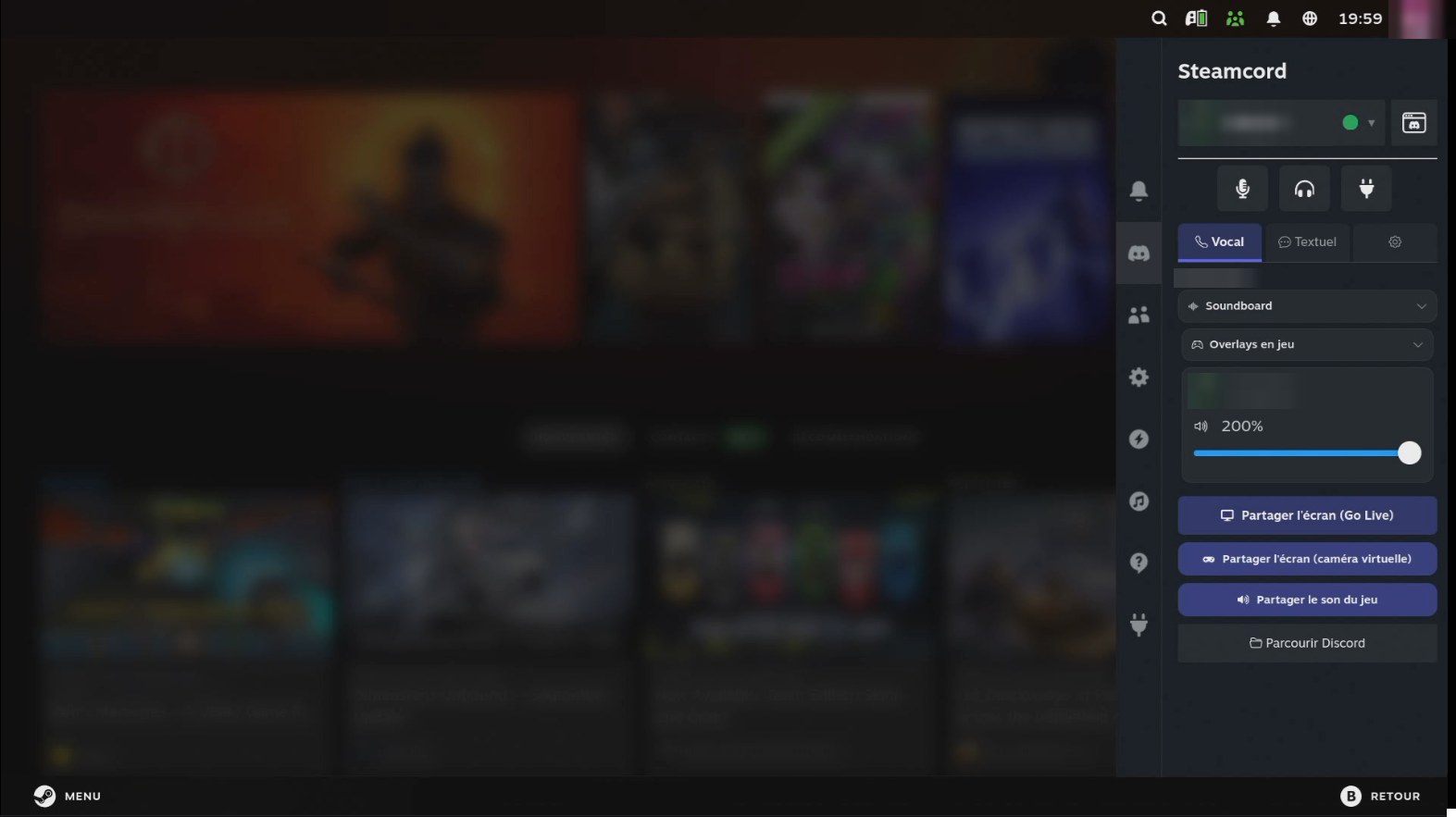
Discord, inside Steam Game Mode.


- 🎙️ Voice chat with a live speaking ring, per-user volume and local mute, soundboard, and Discord's own sound cues
- 🖥️ Screen sharing (Go Live) from Gaming Mode, with your game audio mixed in, and watching other people's streams
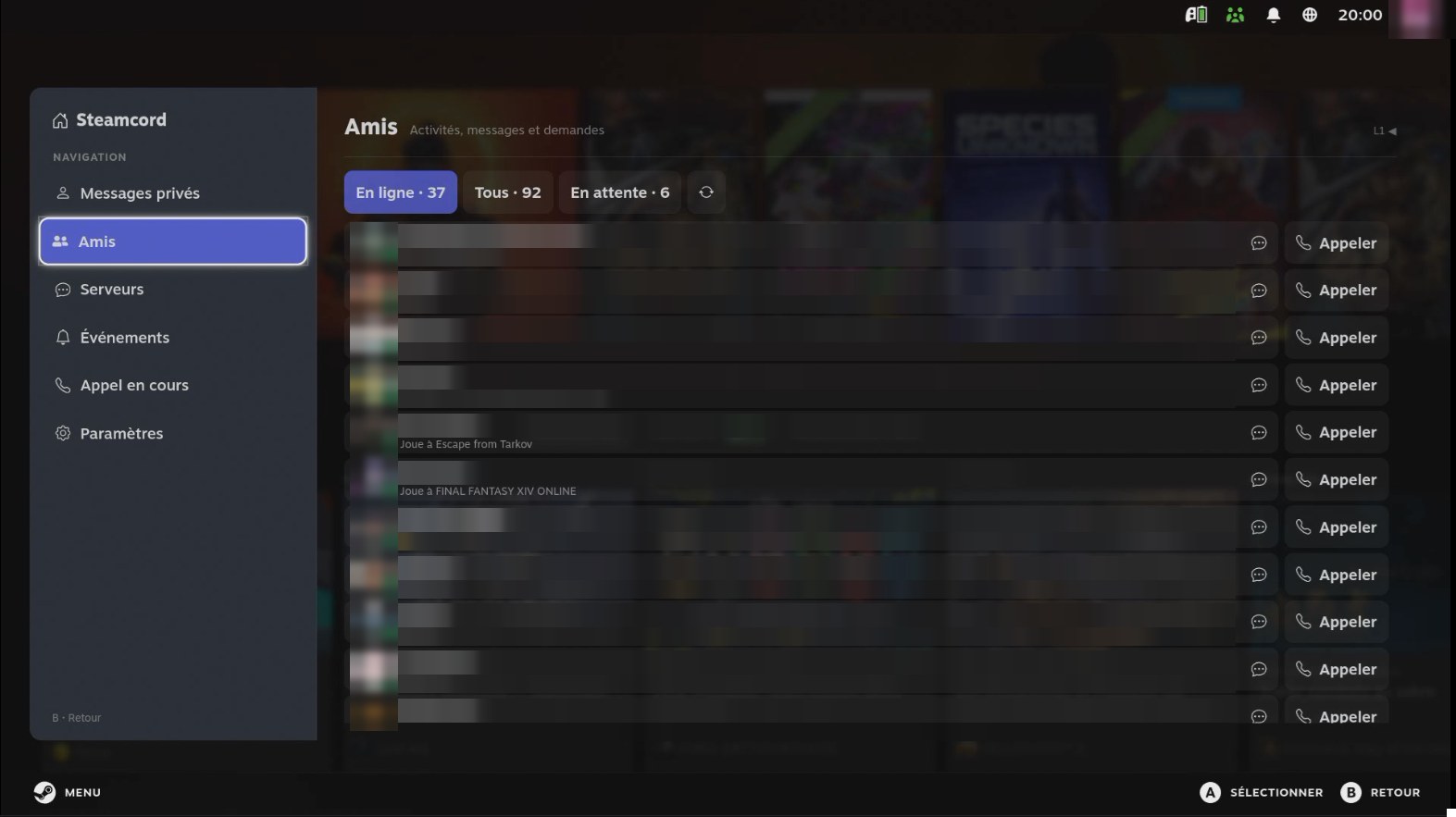
- ✉️ DMs, group DMs and server text chat: read, reply, forward, save attachments, send a Steam screenshot
- 🕹️ Controller push-to-talk or mute toggle, still working while a game has focus (Steam Controller 2026)
- 🔔 Native Steam notifications for calls and pings, held back while you're streaming
- 📱 QR code login from the Discord app, and one Discord profile per Steam account
- 🖼️ Expanded full-screen view: friends and their activity, servers, chat and the current call
🗝️ SkullKey
Every launcher, in Steam Game Mode.


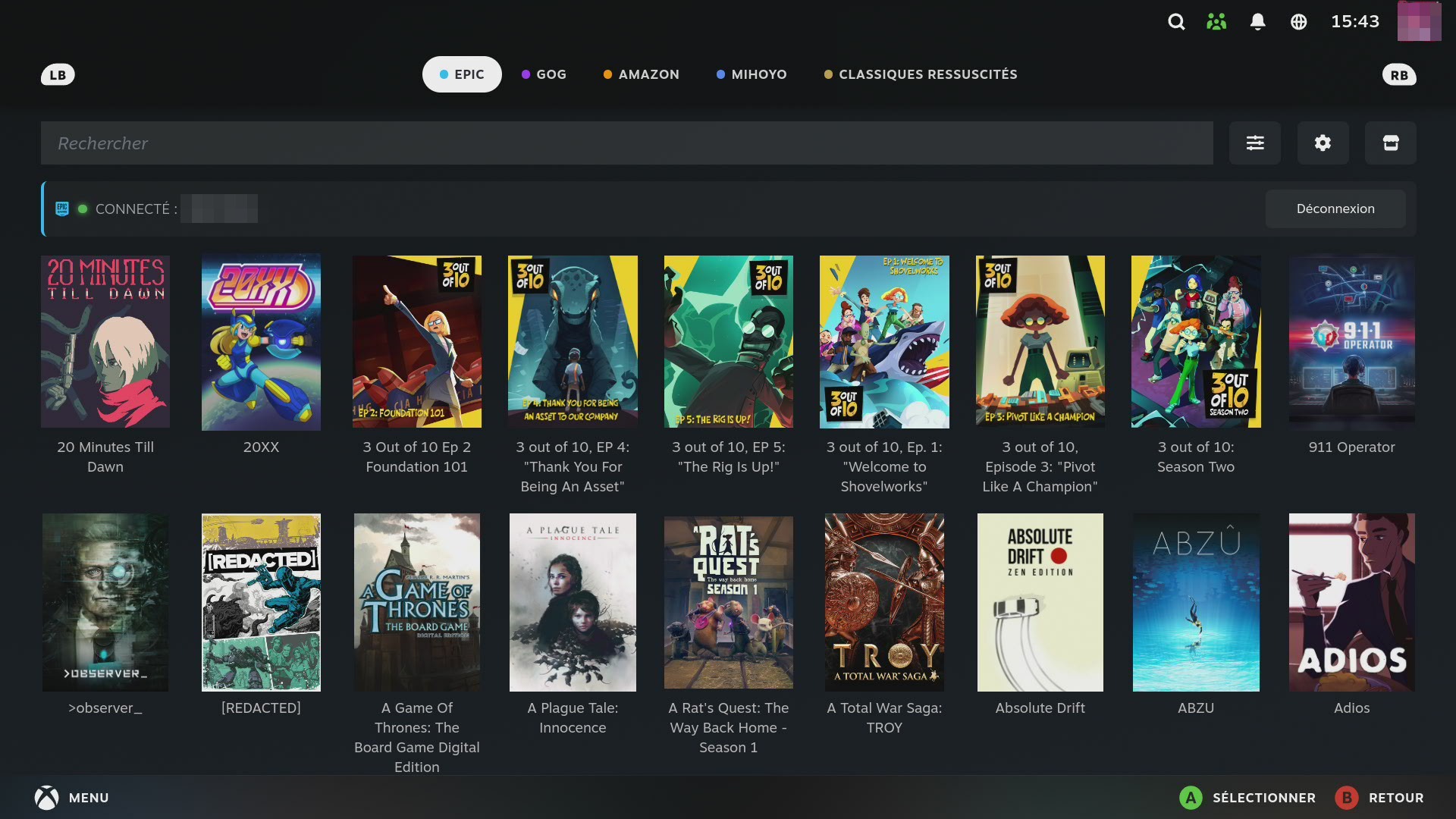
- 🏪 Epic Games, GOG and Amazon Games: browse, log in, install and play without the desktop
- ✨ miHoYo: Genshin Impact, Honkai: Star Rail, Zenless Zone Zero and Honkai Impact 3rd, with fast official downloads, delta updates and repair
- 🎯 Battle.net and Ubisoft Connect (experimental)
- ⛏️ Minecraft Java (Prism Launcher, ready to go) and Bedrock, with mods from Modrinth and world backups
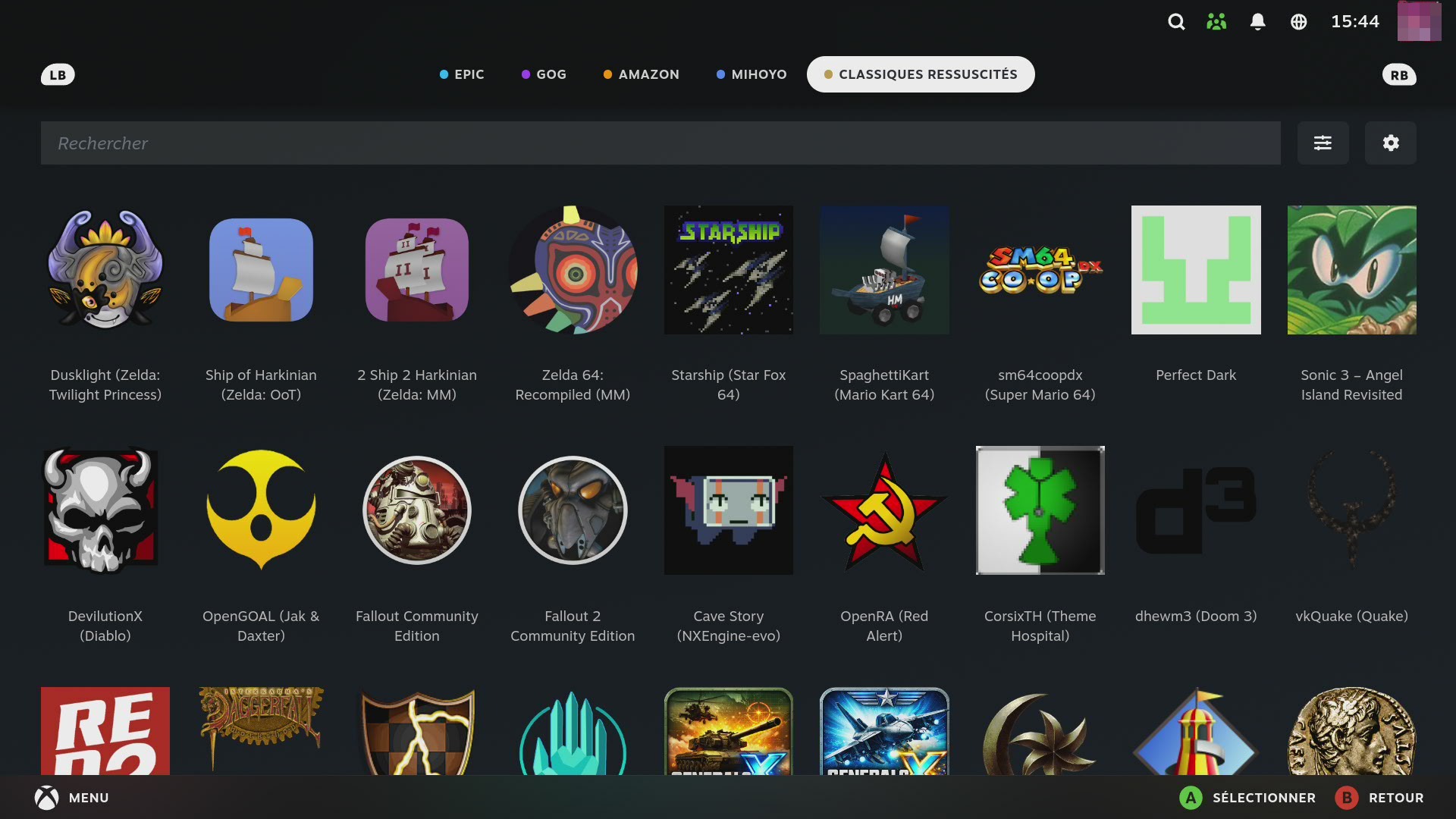
- 🏛️ Classics Reborn: 52 open-source native ports of classics, from Zelda and Mario 64 to Morrowind and Doom
- 📺 34 media and cloud apps: Netflix, Jellyfin, Kodi, Moonlight…
- 👥 One store space per Steam account, daily game updates, save backup and restore, official Steam artwork
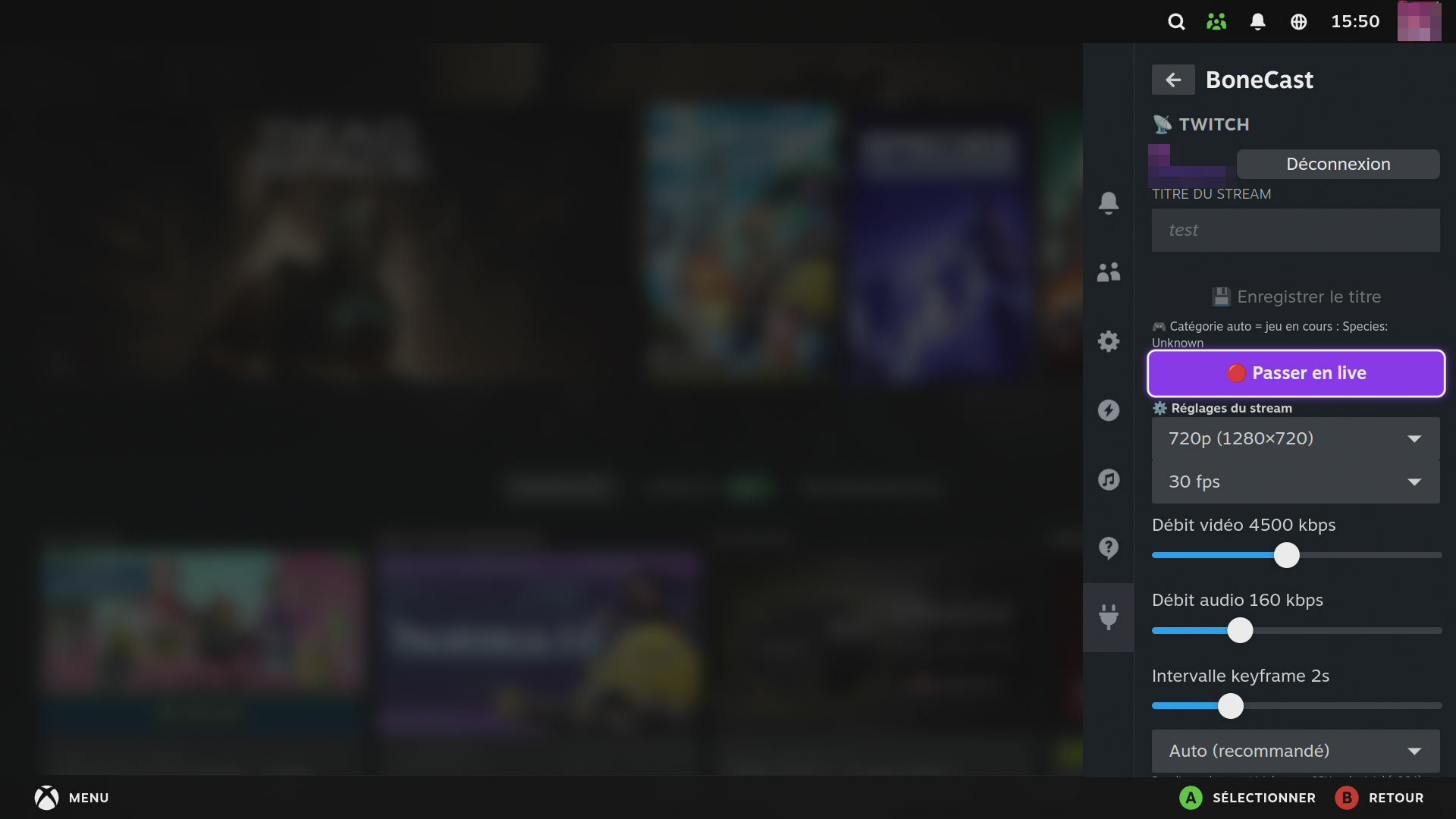
📡 BoneCast
Twitch and YouTube, in Steam Game Mode.


- 🔴 Go live on Twitch or YouTube from the QAM: log in with a code, no stream key to copy
- ✏️ Title, category and visibility set from the plugin, and editable while live
- 💬 Transparent chat overlay over the game, with emotes, and live events (subs, raids, bits, Super Chats, new members) as highlighted cards
- 📺 Watch up to four Twitch streams over your game
- ⏸️ Pause screen (BRB) with your own image, live mic mute, instant clips, local recording
- 🎧 Discord voice in the stream, when Steamcord is installed
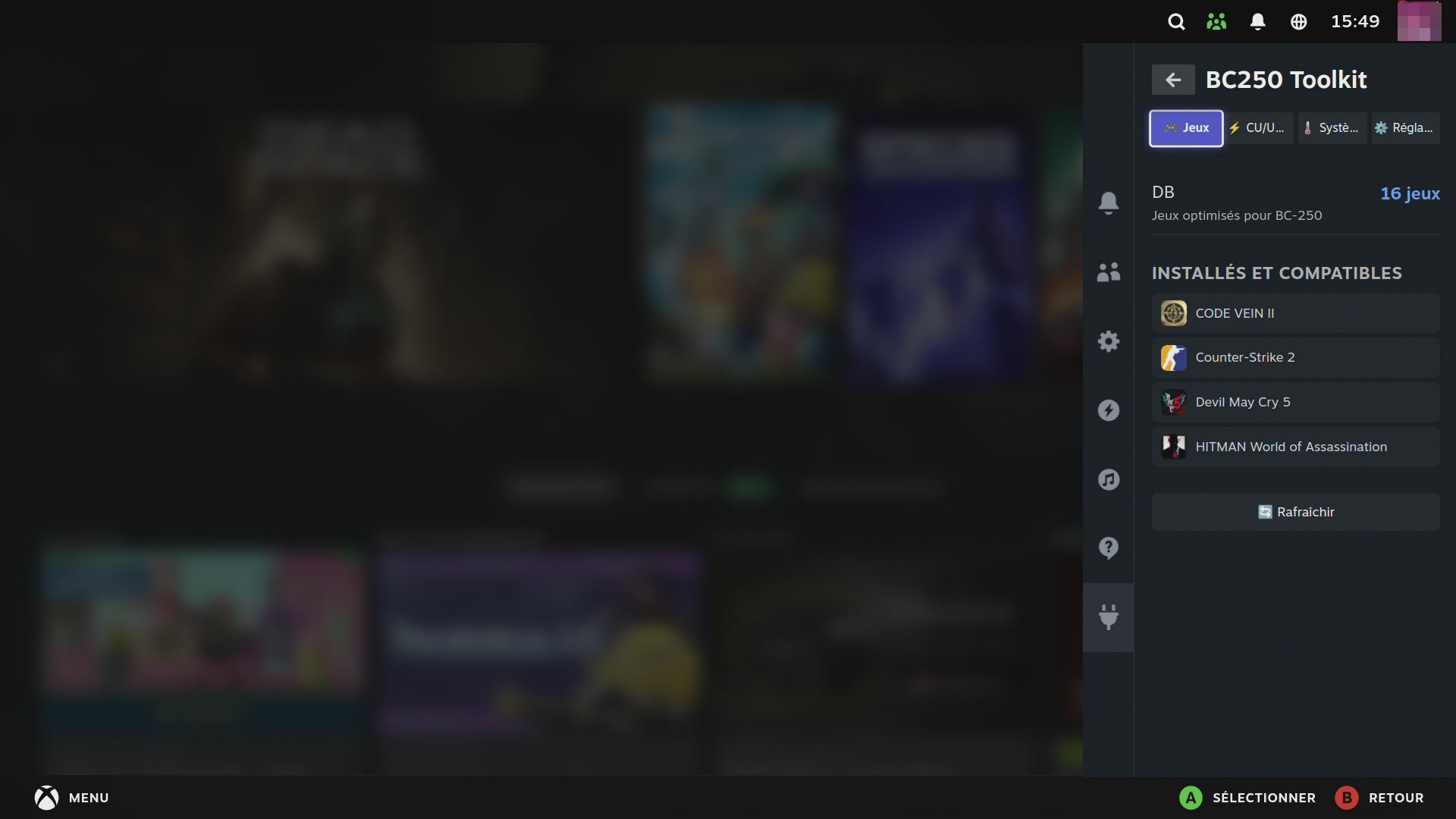
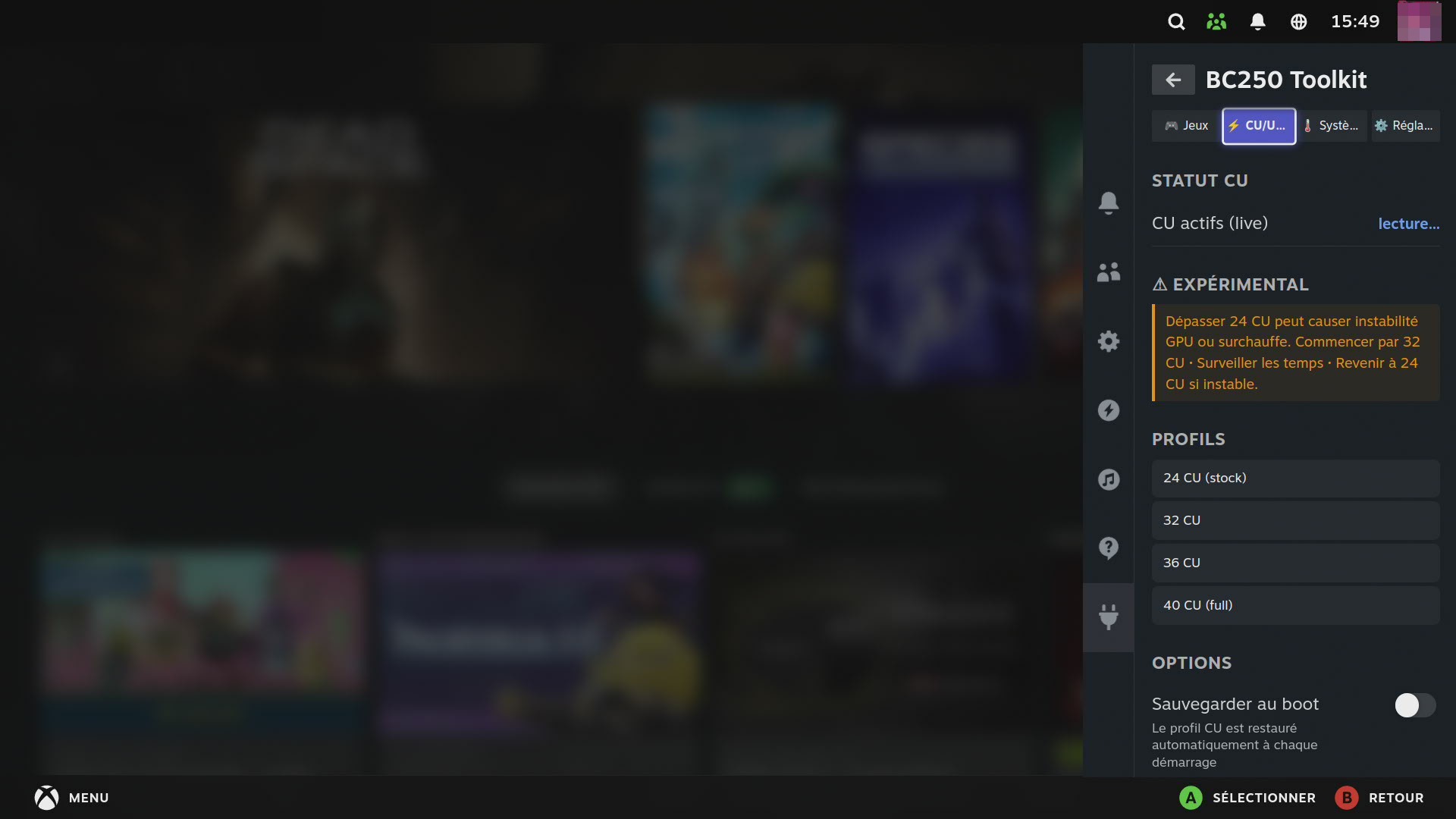
Tune the ASRock BC-250 from Game Mode.


- 🎮 Per-game fixes from a community database: launch options, Proton version and GPU overrides, applied in one tap or automatically
- 🧠 8-core CPU unlock (6C/12T → 8C/16T), restored at every boot if you want
- 🧩 Compute units and VRAM (UMA): set the BIOS frame buffer right from the panel
- 🎛️ Tuning with BC250 Control Center: GPU profiles, CPU overclock, fan control
- 📊 System status: cores, RAM, active compute units, hardware integrations
⚙️ bc250-tweaks
Make the BC-250 a gaming machine, with one script.

- 🐧 Kernel parameters set for you, whatever your bootloader
- 🎮 GPU, memory and scheduler tuning, gaming environment, PipeWire latency, MangoHud and vkBasalt ready
- 🔄 Kept up to date by a service at every boot, and safe: the scheduler disarms itself if a boot ever stalls
- 🤝 Installs the helpers that BC250 Toolkit relies on
- 🕹️ Controller first: everything happens in the Quick Access Menu, no keyboard, no desktop
- 🔄 They update themselves from GitHub, in the background (you can turn it off)
- 🌍 9 languages: English, French, German, Spanish, Italian, Portuguese, Dutch, Polish and Russian, following your Steam language
- 🐧 Any Linux that runs Steam in Gaming Mode: one build, with runtime detection instead of distro-specific assumptions
- 🤝 They work together: BoneCast can add your Steamcord voice call to the stream, and every plugin holds its notifications while you're live
- 🙏 Everyone who helps is credited, in each project's credits and release notes
| Steam Deck (LCD / OLED) | Bazzite | SteamOS | CachyOS & other distros | |
|---|---|---|---|---|
| Steamcord, SkullKey, BoneCast | ✅ | ✅ | ✅ | ✅ |
| BC250 Toolkit, bc250-tweaks | (BC-250 only) | ✅ | ✅ | ✅ |
- Install Decky Loader.
- In Decky's settings, turn on Developer mode, then Developer → Install plugin from URL, and paste:
| Plugin | URL |
|---|---|
| 💬 Steamcord | https://github.com/Necrosiak/Steamcord/releases/latest/download/Steamcord.zip |
| 🗝️ SkullKey | https://github.com/Necrosiak/SkullKey/releases/latest/download/SkullKey.zip |
| 📡 BoneCast | https://github.com/Necrosiak/BoneCast/releases/latest/download/BoneCast.zip |
| 🛠️ BC250 Toolkit | https://github.com/Necrosiak/bc250-toolkit-decky/releases/latest/download/BC250-Toolkit.zip |
After that, each plugin keeps itself up to date. For bc250-tweaks, see its quick install.
Open an issue on the project's page, even for a small thing: many features started as someone's suggestion.
A log helps the most: each plugin writes one in ~/homebrew/logs/<plugin name>/.
Decky Loader · React & TypeScript · Python · GStreamer · FFmpeg · PipeWire · gamescope · Vesktop · Legendary · gogdl · nile · ludusavi · Prism Launcher
Thanks to all of these projects and their authors.
AI (Claude by Anthropic and Codex by OpenAI) is used in the making of these projects, for reverse engineering, development and documentation. It is not used for any art or creative writing. Everything released publicly is reviewed by a human, and the results are my responsibility.
If my projects are useful to you, you can support their development on Ko-fi. Thank you!
