A translation collaboration platform that runs entirely on GitHub. No VPS, no application server, no database, no OAuth broker.
The repository is the backend, Git is the database, the pull request is the review system, Actions are the workers, and GitHub Pages serves the front end.
Translator
   │
   ▼
GitHub Pages  (VuePress + translation editor)
   │  api.github.com
   ▼
i18n branch   (translation workspace, commit authored by the translator)
   │
   ▼
GitHub Actions
   ├── ensure an open i18n → main pull request
   ├── merge main back into i18n
   └── rebuild Pages
.github/
  i18n.yml                    project configuration
  CODEOWNERS                  review routing
  workflows/
    translation-pr.yml        i18n push  → one pull request, reused afterwards
    sync-main-to-i18n.yml     main push  → copy shared paths into i18n
    deploy-pages.yml          i18n push  → build and publish Pages
locales/                      example strings to translate, in YAML
scripts/setup-repo.sh         branch rulesets for main and i18n
Three branches carry the work:
main— the automation, the deploy CLI and a small set of example strings underlocales/that show what a project hands to GitLocalize. It is also the branch the translation pipeline treats as the source of truth.editor— the editor itself: the page sources undersource/, the core library undersrc/, the tests and the interface strings the editor renders itself in four languages. Nothing rewrites this branch, so it is safe to commit to.i18n— the documentation and the translation workspace. Pages builds from here: it checks out the editor sources, builds them next to the docs and publishes both.
The editor sources, its core library and the tests live on the editor branch:
git clone --branch editor https://github.com/HayashiUme/GitLocalize.git
cd GitLocalize
git archive origin/main locales | tar -x -C .   # the interface strings come from main
npm install
npm test
npm run editor:build
npm run build (the docs site) only works on a checkout of the i18n branch, where docs/ lives.
Then open the published editor at https://<owner>.github.io/<repository>/Editor/, paste a fine-grained personal access token scoped to that repository, and start translating. Getting a token explains how to create one; the setup guide covers the repository settings.
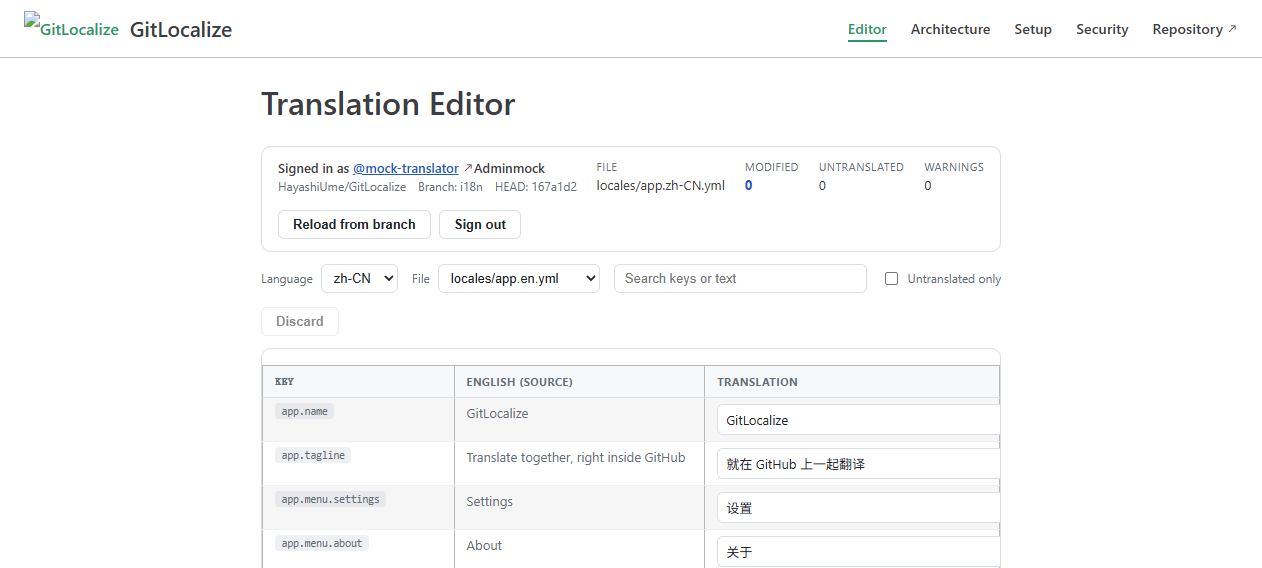
- Lists source and target files, discovers languages from
app.zh-CN.ymlstyle names. - Flattens nested YAML and JSON into key / source / translation rows.
- Preserves comments in YAML by editing the original document instead of re-emitting it.
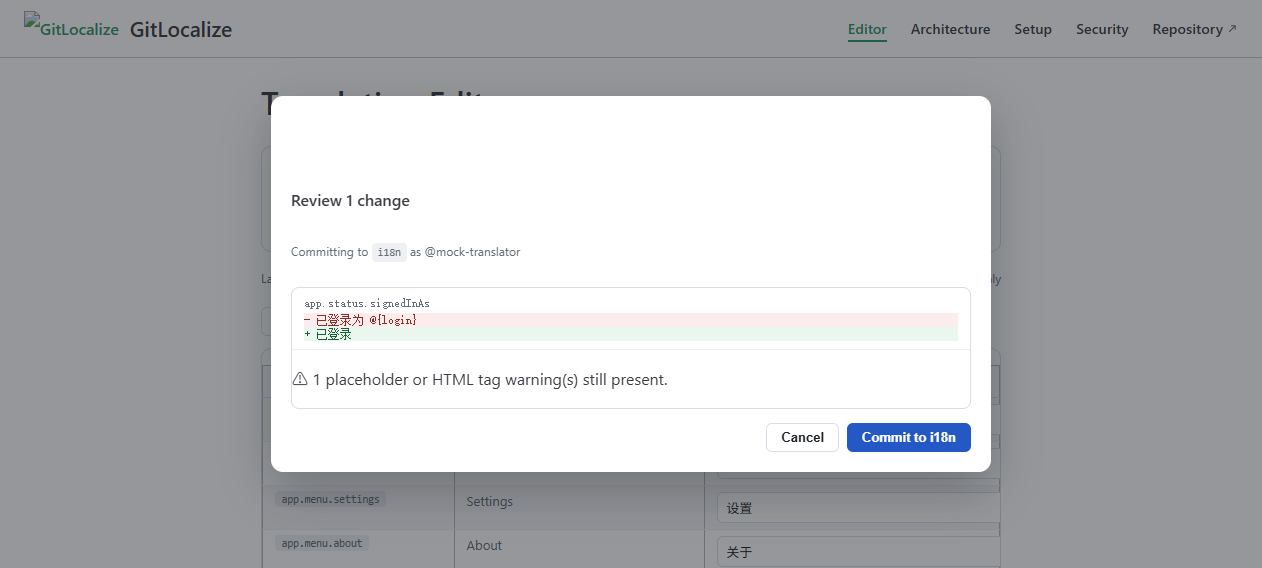
- Warns about missing
{placeholders}and dropped<b>tags as you type. - Commits every changed file as one commit through the Git database API, with the translator as the commit author.
- Refuses to commit when the branch head changed underneath you; the ref update is
force: false. - Renders its own interface from the strings on the
editorbranch, in four languages. Switch language in the editor header, or pass?lang=zh-CN.
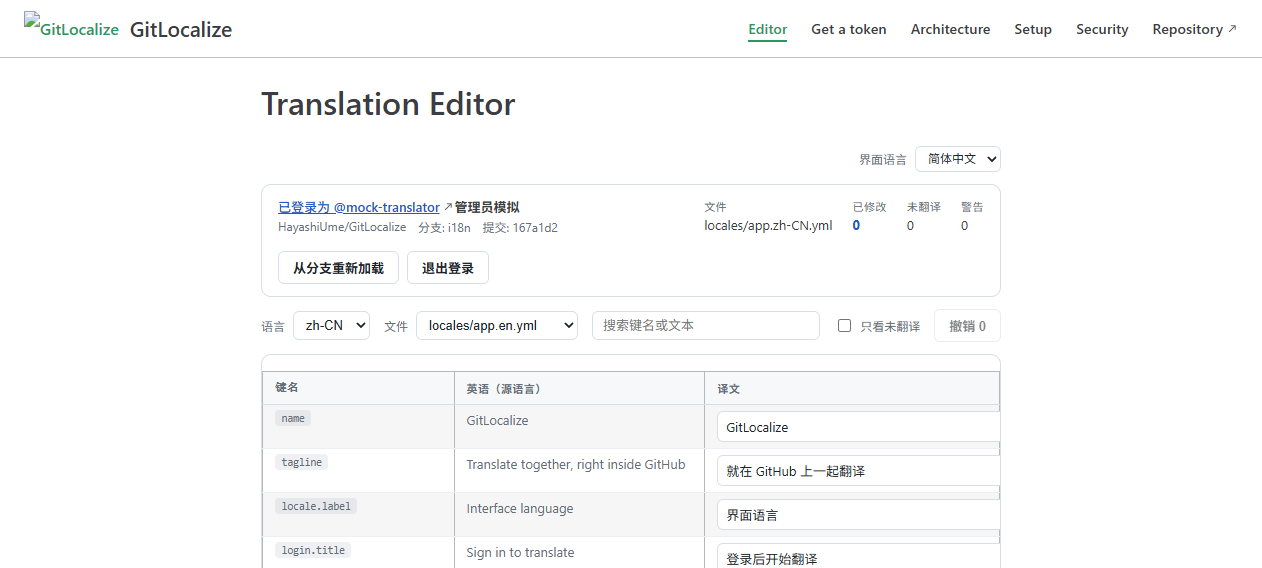
The four interface languages come from the editor branch, so the tool always renders in the
reader's language no matter which repository it is pointed at.
The locales/ folder on this branch is a sample: the kind of file a project hands to GitLocalize.
app.en.yml is the source, app.zh-CN.yml a translation of it, and the pull request automation
moves them exactly the way it would for a real project. Point the file mask at your own strings
and the same flow applies.
The editor's own interface language lives on the editor branch, so the strings the tool renders
and the strings it translates never mix.
# locales/app.zh-CN.yml
app:
  nav:
    home: 首页
  messages:
    welcome: "欢迎回来,{name}!"
  tokenLabel: 个人访问令牌

status:
  signedInAs: 已登录为 @{login}
Resolution order for the interface language is ?lang= → stored choice → browser language → English. tests/i18n.test.ts keeps the four catalogs honest: identical key sets, identical placeholders and HTML tags, paired plural keys, and no string the components ask for left undefined.
The original brief forbids a backend, and this implementation keeps to it. Where GitHub's own behaviour gets in the way, the constraint is documented rather than worked around with a server:
- Events created by the default
GITHUB_TOKENdo not trigger further workflow runs, so the sync workflow dispatches its follow-ups explicitly, or uses an optionalI18N_BOT_TOKENsecret. - Repository roles cannot express per-branch push rights, so
mainis protected by a ruleset andi18nis protected against force pushes and deletion only. - Front-end permission checks are user experience; the rulesets and pull request review are the security boundary.
Full detail in the architecture guide and the security notes.
Phase 1–7 of the implementation plan are in place: parser layer, editor, GitHub API integration, commit path, pull request automation, branch sync and Pages deployment. Glossary, translation memory, reviewer workflow and extra file formats are deliberately out of scope for the first version.
MIT