

Your documentation. Your source. Your infrastructure.
Built for humans and coding agents.
Documentation · Getting started · Issues
Docsy by AppGram turns Markdown, MDX, OpenAPI, and native SDK documentation into a self-hosted portal with source you own. Readers get searchable guides and reference pages. Coding agents get Markdown/JSON exports, YAML configuration, and local validation. No hosted control plane is required.
Product copy, navigation, visual tokens, ingestion, and access rules live in docsy.config.yaml. The generated Astro components and CSS stay in your repository, alongside AGENTS.md and DOCSY_BRIEF.md to guide your coding agent.
Docsy can ship as a fully static site or as a server-rendered application with permission-gated documentation tiers and an optional agent query API. Use Node 22.22 or newer for development and builds. The production server can run on Node or Bun 1.3.5 or newer.
This project is independent of the Hugo theme with a similar name.
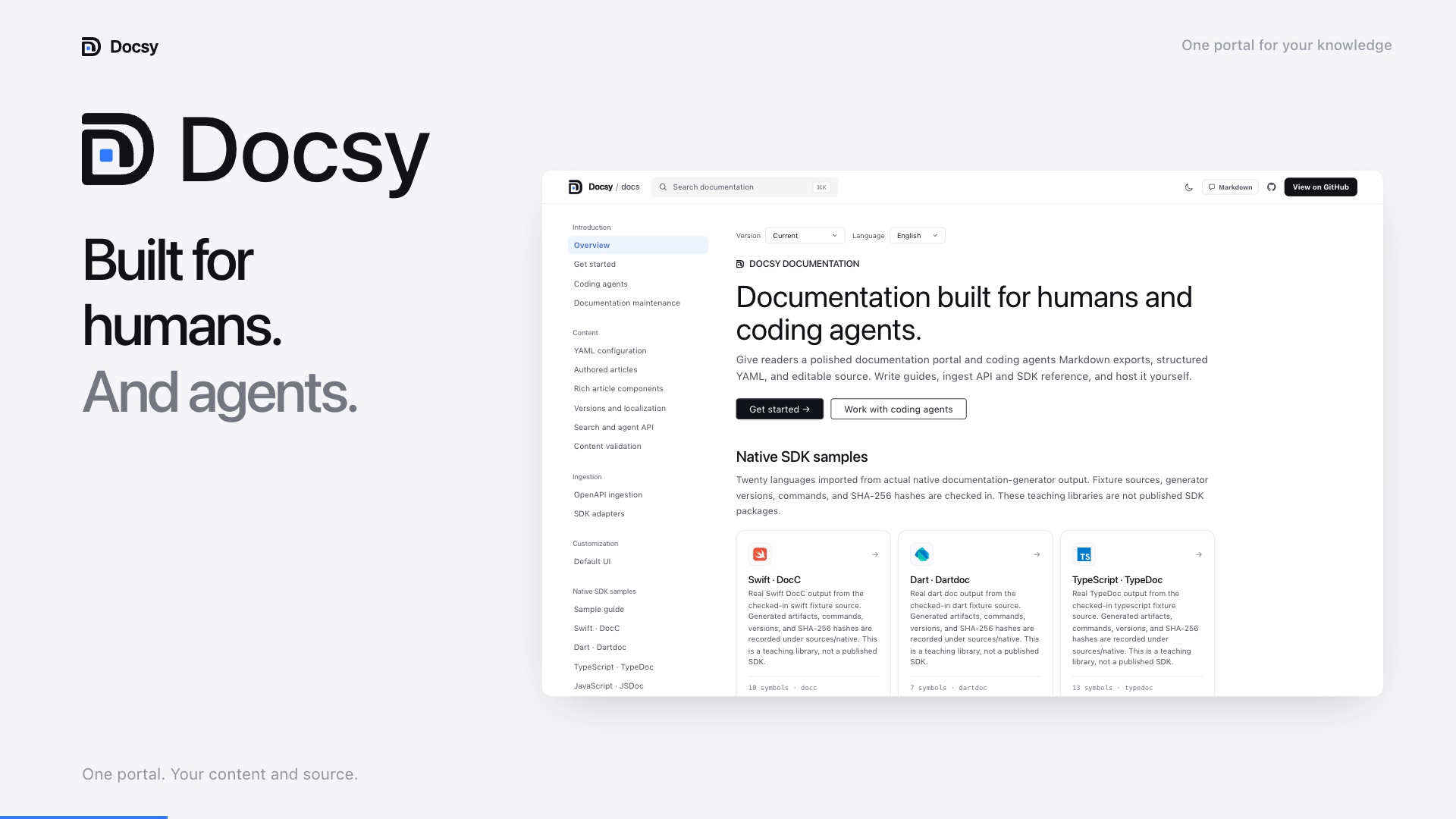
Watch the video with narration on YouTube · 73 seconds · 1080p
See the actual interface, Markdown and API/SDK reference, YAML customization, self-hosting, and the documentation maintenance workflow.

Four launch images, five seconds per slide. Prefer a still image? Open a slide below. SDK scenes use generator-tested teaching fixtures; see the compatibility evidence and limits.
View the four original slides
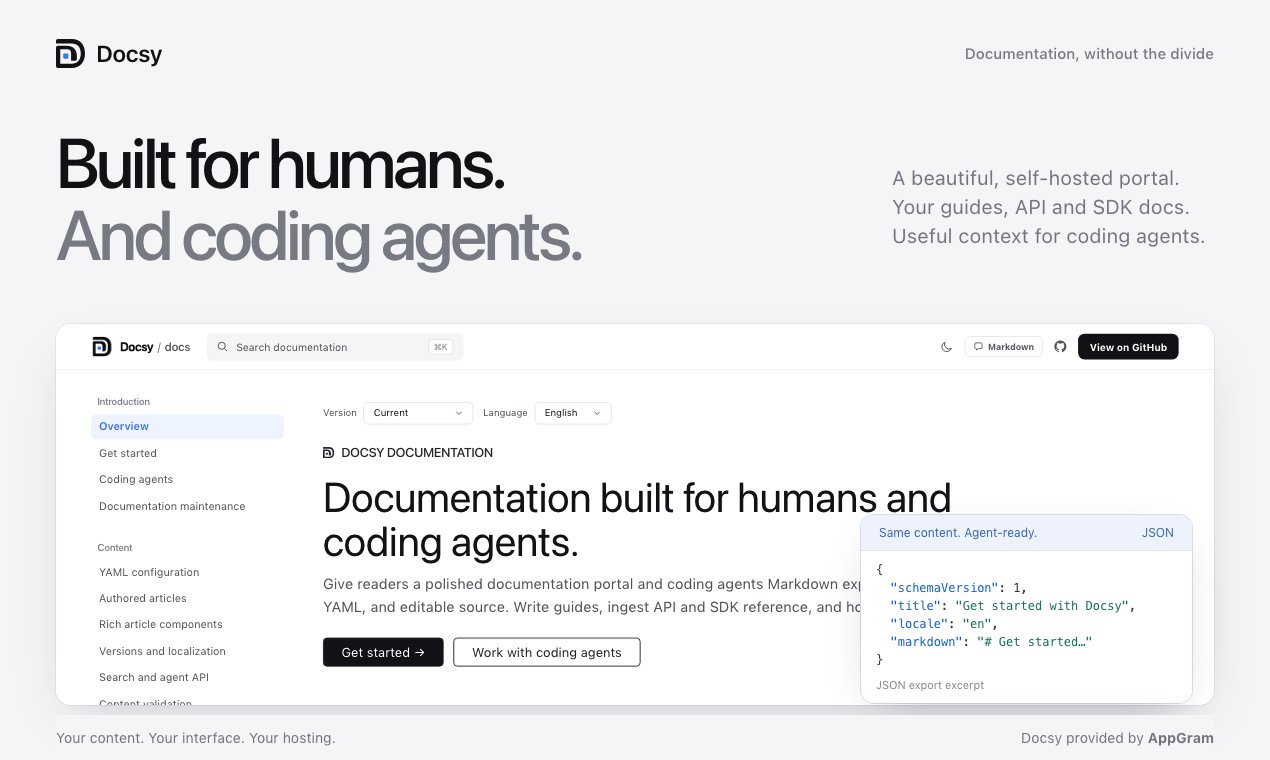
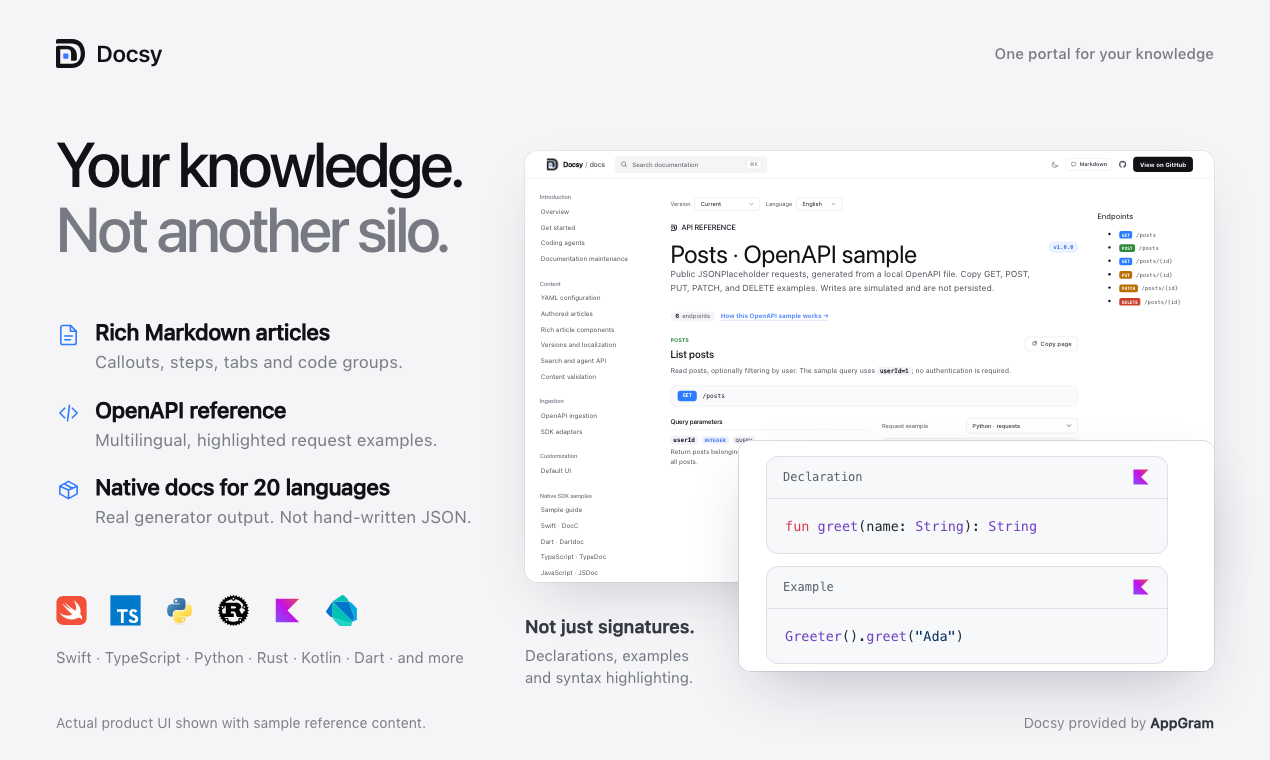
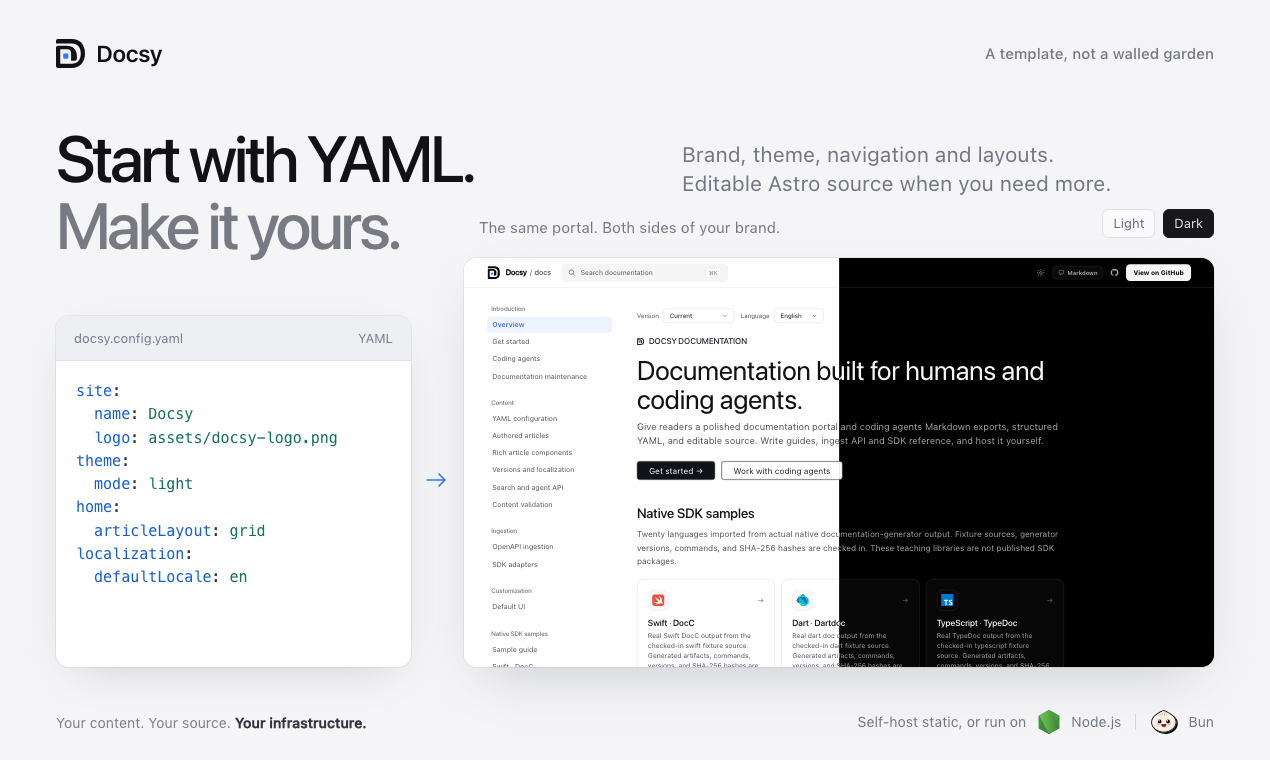
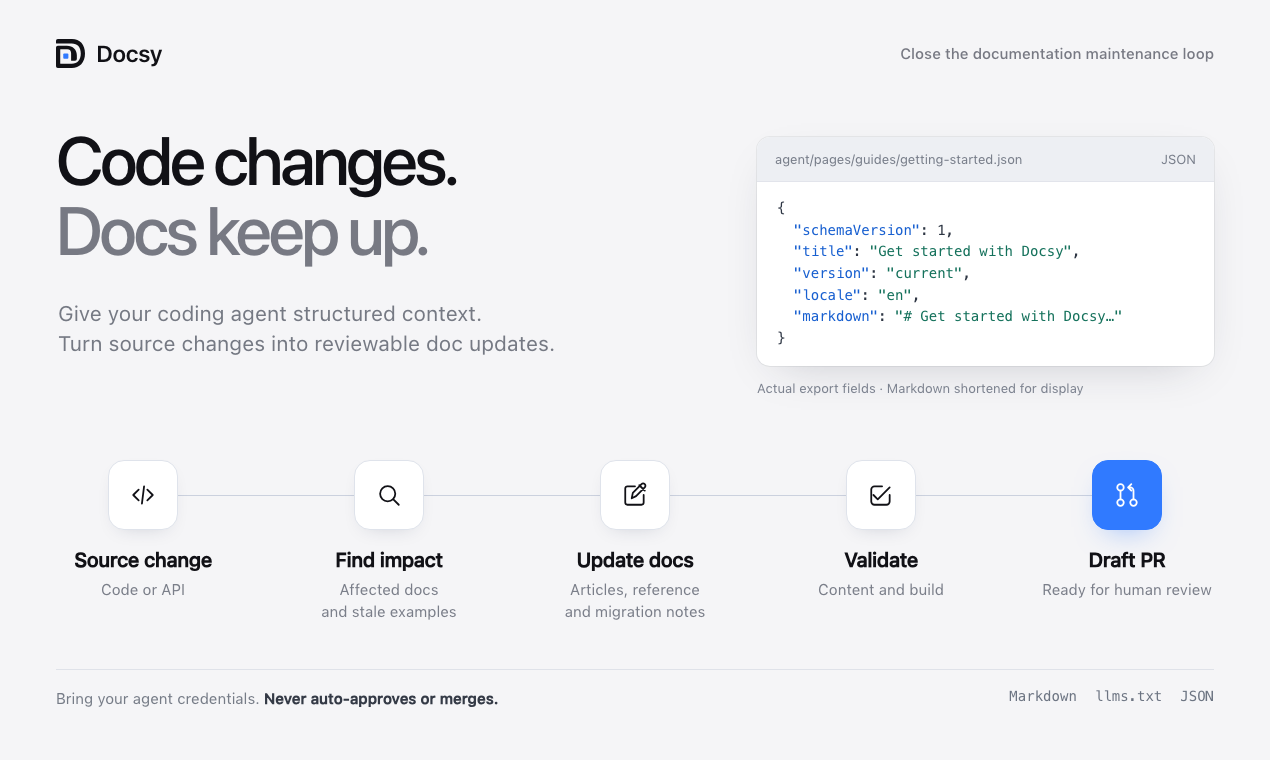
For readers, Docsy brings authored guides, API endpoints, and SDK reference together with navigation, search, code examples, and light/dark themes.
For coding agents, the same documentation is available as Markdown. An agent working in the generated repository can update articles, configure ingestion and branding in YAML, or edit the Astro interface. The CLI includes project instructions and a customization brief, and npm run validate plus npm run build check the result before review.
Docsy also includes a maintenance loop: a committed API or code change triggers an impact report, agent updates to articles and examples, independent validation, and a draft pull request with migration notes and unresolved questions.
Give your coding agent a concrete task:
Read AGENTS.md, DOCSY_BRIEF.md, and docsy.config.yaml.
Use sources/openapi.json to write a first-request guide in content/.
Register it in YAML and add it to the sidebar.
Use the API source for endpoint names, parameters, and examples.
Preserve the existing UI and access rules.
Run npm run validate and npm run build, then summarize the diff.
Use /format-md/... exports when an agent needs to fetch documentation over HTTP. The Markdown menu exposes the current page's export; ?format=md opens its Markdown view in the browser. Your chosen coding agent works with the repository, and you review and publish its changes through your normal Git workflow.
See Work with coding agents for both reading and authoring workflows.
Agents can also discover /llms.txt, download the full-text corpus at /agent/index.json, or read a page as JSON at /agent/pages/guides/getting-started.json. Prefix these paths with your configured site.basePath. JSON documents include Markdown and citation URLs.
For live retrieval, enable the server-only endpoint on Node or Bun:
agent:
  enabled: true
  query: true
  maxResults: 10
  maxQueryLength: 500
curl 'https://docs.example.com/docs/agent/query.json?q=authentication&version=current&locale=en&limit=5'This returns ranked source excerpts and JSON/Markdown links, not a generated answer. It requires no AI provider key. Static deployments retain JSON/Markdown exports but cannot execute query parameters; keep agent.query: false for GitHub Pages. In locked mode, every retrieval surface follows the existing page permissions. Search and agent API guide.
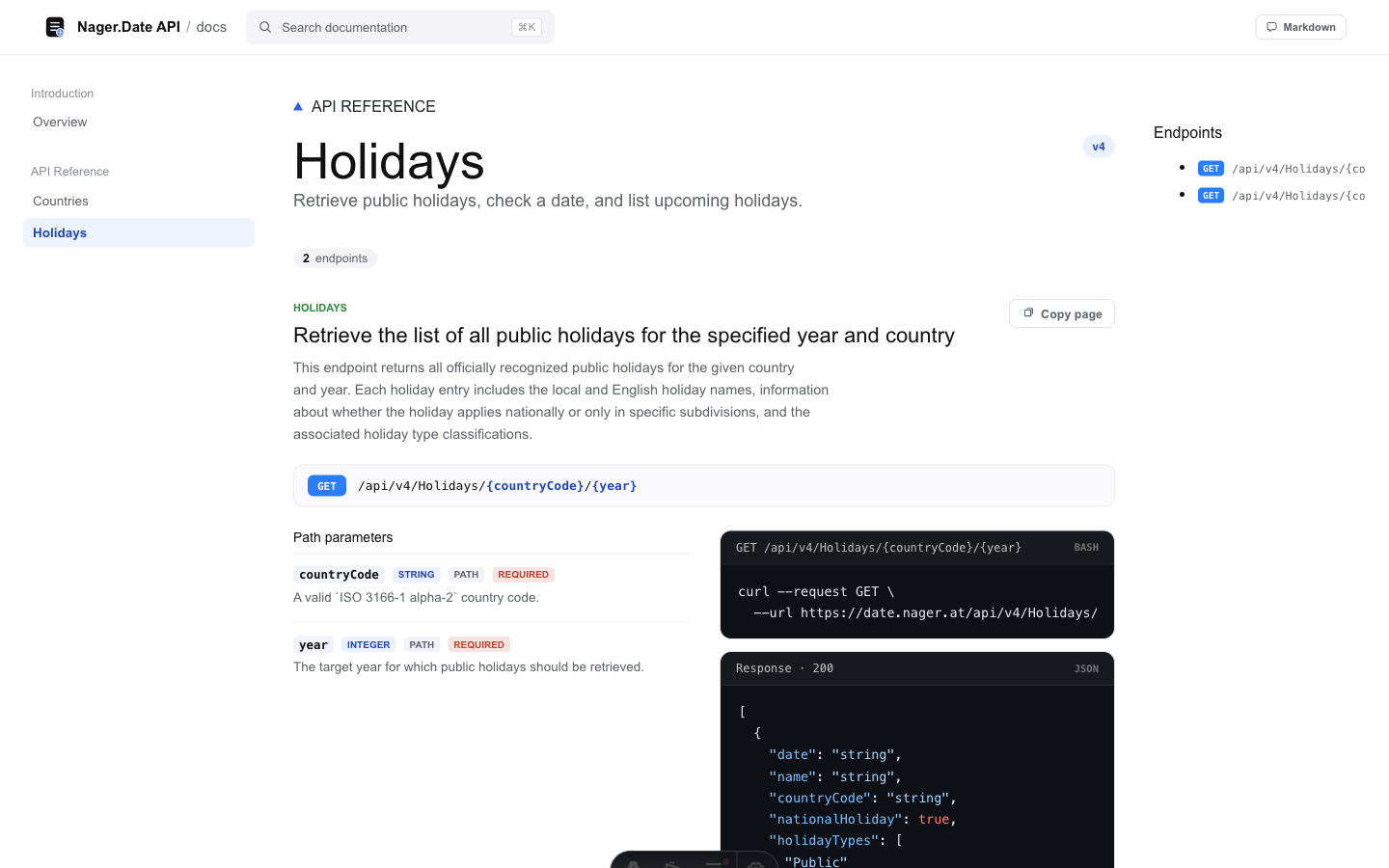
These screenshots show the default interface configured for the public Nager.Date OpenAPI—not AppGram product documentation.
| Light | Dark |
|---|---|
 |
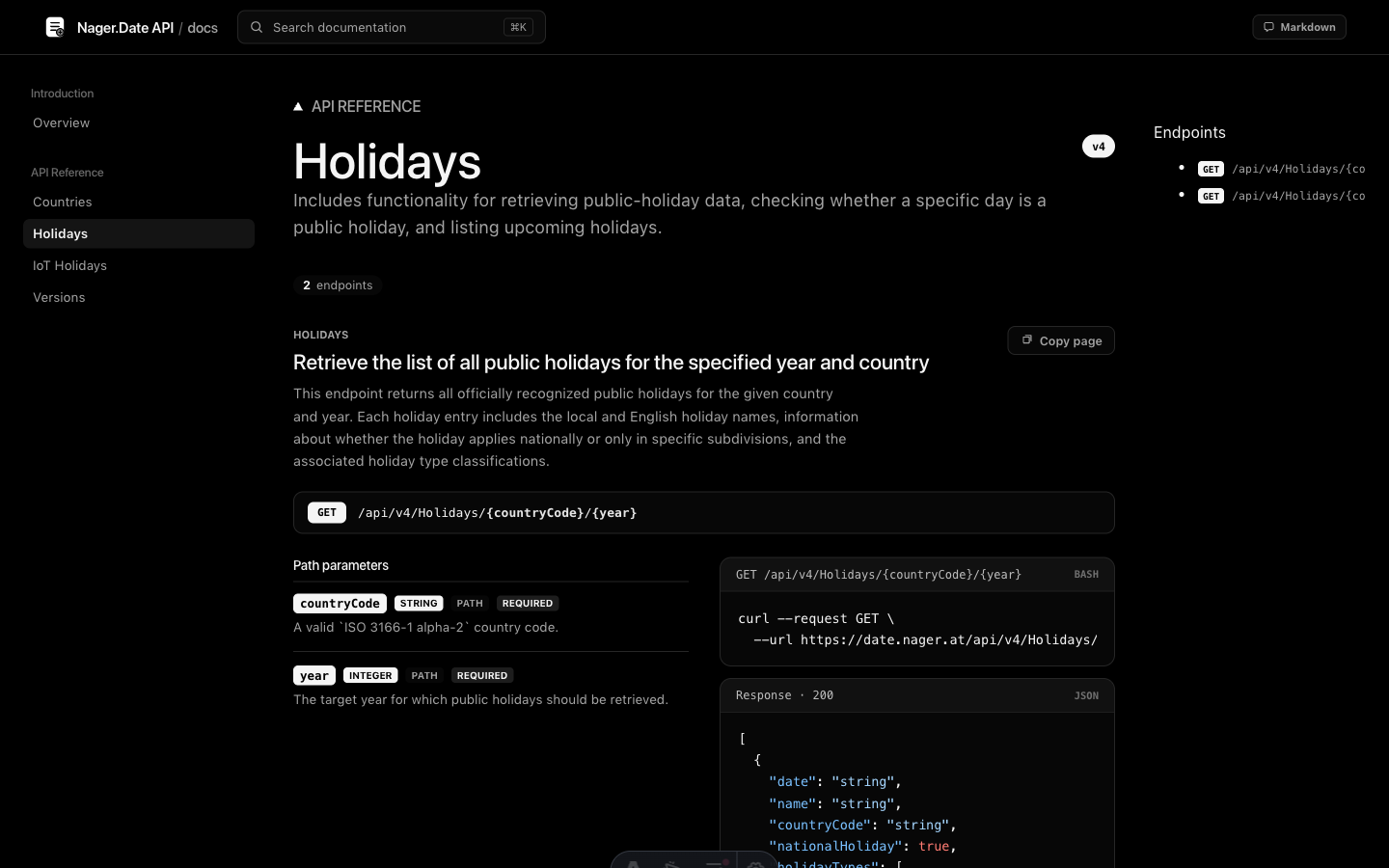 |
Both are the same generated OpenAPI page. Switching theme.mode and the YAML color tokens changes the presentation without replacing the interface.
- An editable Astro project with
AGENTS.mdandDOCSY_BRIEF.mdfor coding agents. - A YAML-configured maintenance workflow that turns source changes into validated draft documentation PRs.
- OpenAPI 3 and Swagger 2 ingestion from local JSON/YAML or an HTTPS URL.
- Native SDK documentation imports for 20 source languages across 16 generator formats, plus compact metadata and AppGram/docc2json compatibility.
- Real generator-produced fixtures and reproducible larger-library tests (Zod, YAML, Lodash), with source/output hashes. Twenty-language fixtures establish format coverage, not blanket production compatibility. Evidence and limits.
- Rich native samples with multiple usage examples per language, batch APIs, properties, enum values, optional parameters, remarks, deprecations, and error contracts where supplied by the generator. Every reference reports its actual imported content; all 20 language logos are local SVGs configurable through YAML, including dark variants.
- YAML-selected OpenAPI request examples in 24 language/client targets, synchronized language selection, and custom
x-codeSamplesoverrides. - Generated API pages, navigation, search data, curl examples, response examples, and Markdown exports.
- First-class Markdown and MDX articles, including themed JSX components and explicitly opt-in trusted React imports.
- Theme-aware callouts, numbered steps, synchronized tabs, code groups, accordions, and reusable Markdown snippets.
- Full-text section search across article bodies, examples, API parameters, and SDK symbols.
- Local, build-time syntax highlighting across articles, SDK declarations/examples, and API requests/responses, with language-logo badges and YAML-selectable light/dark palettes. No highlighter CDN or browser runtime is needed.
- YAML-configured versions, locale routing, translated navigation, RTL, and explicit language fallbacks.
- Static JSON/Markdown discovery plus an optional permission-aware JSON query endpoint for coding agents.
- Strict source ingestion, OpenAPI reference/example validation, and internal/built-site link and anchor checks.
- One YAML file for branding, content, navigation, routes, ingestion, theme tokens, and access rules.
- A persisted light/dark theme toggle with independently configurable palettes.
- Open mode for static hosting and lock mode for server-side permission checks.
- Header-based identity for trusted auth proxies or webhook authorization for an existing application.
- Docker and Docker Compose files for a short self-hosting path.
- System font stacks by default: no hosted font service and no generated typographic tracking.
- Optional validation/preview and gated Pages workflows, template-version provenance, non-destructive upgrade comparison, and a bounded local Mintlify importer.
- Configurable article edit/report links carrying the page, version, and locale.
- YAML author profiles, contributor/reviewer credits, explicit article dates and optional coding-agent/model provenance, preserved in Markdown/JSON exports. Per-article GitHub edit links can be overridden or disabled.
Markdown / OpenAPI / SDK metadata
        │
        ▼
 content loaders/adapters ──► normalized docs model
        │
        ▼
 docsy.config.yaml ───► routes, navigation, theme, access rules
        │
        ▼
 editable Astro source
        │
        ├── open mode   ──► static files in release/
        └── locked mode ──► Node/Bun server with request-time authorization
The important boundary is simple:
- YAML owns durable configuration and content wiring.
- Astro and CSS own the interface.
- The article loader and ingestion adapters own source-format differences.
- Lock mode owns request-time authorization, not user authentication itself.
Docsy never requires a hosted control plane. A generated project builds and runs from its own repository.
Read the Docsy documentation portal or browse the article sources below. This repository powers that portal using its own content.articles configuration; you can also build and run the same site locally.
| Article | What it explains |
|---|---|
| Get started with Docsy | Run the portal, generate a project, and understand the ownership boundary |
| Work with coding agents | Read Markdown exports, give an agent a project brief, and validate documentation changes |
| Maintain documentation automatically | Detect affected docs, correct stale examples, explain breaking changes, and open validated draft PRs |
| Configure Docsy with YAML | The configuration lifecycle, top-level sections, paths, and environment values |
| Write authored documentation | Markdown articles, YAML registration, navigation, search, exports, and permissions |
| Rich article components | Callouts, steps, tabs, code groups, accordions, and reusable snippets |
| draw.io diagrams | SVG/PNG previews, fullscreen inspection, and editable-source downloads |
| Native MDX articles | YAML registration, themed JSX, trusted component modules, search and agent exports |
| Full-text search and agent JSON API | Static retrieval exports, the optional server query endpoint, and permission filtering |
| Versions and localization | Stable context URLs, translated UI/navigation, fallbacks, and versioned ingestion |
| Content validation | Source failures, API linting, schema examples, links, anchors, and component checks |
| Ingest an OpenAPI document | Local and remote sources, section matching, and navigation |
| Ingest SDK documentation | Native artifact formats, 20-language coverage, portable metadata, and bounded private ingestion |
| Customize the default UI | YAML brand tokens and the source-owned Astro interface |
| Protect documentation by tier | Ordered access rules, trusted headers, webhooks, and locked deployment |
| Deploy to GitHub Pages | Static Pages configuration and the included Actions workflow |
| Self-host Docsy | Static, Node, and Docker deployment shapes |
| Understand the Docsy license | What ELv2 permits, what it prohibits, and how it applies to generated sites |
| CLI reference | Project generation, validation, building, and production startup |
| Upgrade a customized site | Template provenance and a review-only comparison that never overwrites source |
| Migrate from Mintlify | Supported local exports, assets, redirects, and explicit conversion limits |
| Compatibility evidence | Real-library results, reproduction commands, and remaining coverage limits |
Use Node 22.22 or newer. Create your own documentation site:
npm exec --package @appgram/docsy@0.4.2 -- create-docsy my-docs --yes --ci
cd my-docs
npm run dev
Or run Docsy's own documentation portal from source:
git clone https://github.com/AppGram/docsy.git docsy
cd docsy
npm ci
npm run dev
Open http://localhost:4321/docsy/.
The portal uses the default light interface and renders every registered Markdown article. Its Posts request sample and Comments query sample are generated from the committed sources/samples/jsonplaceholder.openapi.yaml teaching subset. Copy GET, POST, PUT, PATCH, and DELETE curl examples against JSONPlaceholder; writes are simulated and not persisted. The Nager.Date snapshot remains available as an alternative source. How the OpenAPI sample is configured.
Generate a source-owned project from the versioned CLI:
npm exec --package @appgram/docsy@0.4.2 -- create-docsy my-docs --yes --ciAdd --openapi ./my-api.yaml to bring your own API, or edit the generated Markdown/YAML directly. From a repository checkout, npm run release:pack also builds a local tarball and prints an equivalent npm exec --package "/absolute/path/appgram-docsy-0.4.2.tgz" -- create-docsy ... command. Packing never publishes anything.
Run npm run test:package to test the actual packed CLI. It installs the archive in a clean consumer without checkout dependency links, generates a project using your own OpenAPI and MDX, validates/builds it, and tests both static and locked serving. The result and archive checksum are saved under .docsy/packages/release/. This command never publishes anything.
To scaffold your own Pages site, add --deploy github-pages --repo https://github.com/OWNER/REPOSITORY. The generator derives the correct origin/base path, includes validation and deployment workflows, and prints the expected URL. It does not create a repository, push, enable Pages, or deploy. Deployment stays off until you explicitly set DOCSY_ENABLE_PAGES=true and enable Pages in your own repository. Locked sites and live queries require Node/Bun instead.
After creation:
cd my-docs
npm run docsy -- doctor
npm run build
npm run preview
The generated DEPLOYING.md walks through adding your content, local checks, source storage, the explicit publishing decision, and verifying the resulting URL. The project also records .docsy/template.json. Keep it in Git; see the upgrade guide before adopting future fixes.
From a clone of this repository:
npm run create -- ../holiday-docs \
  --yes \
  --name "Holiday API" \
  --openapi ./sources/openapi.json \
  --api-base https://date.nager.at \
  --base /docs

cd ../holiday-docs
npm run dev
Use an OpenAPI URL instead of a local file when desired:
npm run create -- ../my-docs \
  --yes \
  --name "Acme API" \
  --openapi https://api.example.com/openapi.json \
  --api-base https://api.example.com \
  --base /docs \
  --locked
Without --yes, the CLI asks for the project directory, OpenAPI source, product name, mount path, and access mode. It then:
- Parses the OpenAPI document.
- Groups operations into sections using tags and path segments.
- Copies the editable Astro interface.
- Writes a validated
docsy.config.yaml. - Copies local ingestion sources into
sources/. - Adds
AGENTS.mdandDOCSY_BRIEF.mdfor safe AI-assisted customization. - Installs dependencies unless
--no-installis supplied.
Run node scripts/create-docsy.mjs --help for every option.
Generated projects include a GitHub workflow and a local maintenance command. Enable the workflow through YAML:
maintenance:
  enabled: true
  watch: [sources/**, src/**]
  docs: [content/**/*.md, README.md]
  breakingChangesFile: content/maintenance/breaking-changes.md
Add the OPENAI_API_KEY Actions secret and allow GitHub Actions to create pull requests. On a default-branch source change, the workflow compares revisions, finds likely affected docs and stale examples, and runs Codex to prepare updates. A fresh job checks the allowed diff and runs validation and the production build. A final job opens a draft PR on a dedicated branch. Empty updates produce no PR; a failed check stops publication.
Inspect or run it locally:
npm run maintain -- plan --base HEAD~1
npm run maintain -- run --base HEAD~1
# With authenticated gh, also create and push a draft PR:
npm run maintain -- run --base HEAD~1 --pr
The planner compares local OpenAPI and Swagger contracts, flags likely breaking changes, and maps changed paths and symbols to Markdown articles. The agent uses the source diff to update guides and explain migrations. Use committed snapshots to track remote ingestion changes; the workflow reacts to Git changes rather than polling upstream URLs. Setup, scope, and review details.
The checked-in evidence bundle includes a real Zod v3/v4 error-contract change: an actual agent update, executed assertion against the corrected example, independently validated build, and reviewable patch/PR body. That demonstration did not create a remote PR or hosted preview. Static CI updates attach a downloadable rendered preview artifact; locked/server builds do not expose their bundle as static content.
docsy.config.yaml is the source of truth for the generated site:
site:
  name: Acme API
  title: Acme API Documentation
  origin: ${DOCSY_ORIGIN:-http://localhost:4321}
  basePath: /docs
  logo: assets/docsy-mark.svg

theme:
  mode: dark
  colors:
    ink: "#f5f5f5"
    muted: "#a3a3a3"
    line: "#262626"
    paper: "#000000"
    accent: "#ffffff"
  fonts:
    display: '"Aptos Display", "SF Pro Display", "Helvetica Neue", sans-serif'
    body: '"Aptos", "SF Pro Text", "Helvetica Neue", sans-serif'
    mono: 'ui-monospace, "SF Mono", Menlo, monospace'

content:
  articles:
    - slug: getting-started
      source: content/getting-started.md
      title: Getting started
      description: Make your first authenticated request.
      eyebrow: GUIDE

navigation:
  - title: API Reference
    items:
      - title: Users
        href: /api/users

ingestion:
  sdks: []
  openapi:
    enabled: true
    source: sources/openapi.yaml
    apiBaseUrl: https://api.example.com
    sections:
      - section: users
        title: Users
        description: Create and manage users.
        tags: [users]
        paths: [/users]
${ENV_NAME} and ${ENV_NAME:-fallback} placeholders are expanded before validation. Set DOCSY_CONFIG to use a different YAML file without changing source.
Configuration errors fail with their exact YAML path. Run this before committing:
npm run validateDocsy can render documentation you write directly; OpenAPI and SDK ingestion are optional companions, not the only content model.
Create a Markdown file outside public/:
content/guides/authentication.md
Register it in YAML:
content:
  articles:
    - slug: authentication
      source: content/guides/authentication.md
      title: Authentication
      description: Create a token and authenticate API requests.
      eyebrow: GUIDE

navigation:
  - title: Guides
    items:
      - title: Authentication
        href: /guides/authentication
Docsy serves it at /guides/authentication underneath site.basePath. Nested slugs such as platform/security/authentication create nested guide URLs. Level-two and level-three headings populate the page rail.
Authored articles automatically participate in navigation, search, Markdown export, and lock-mode permission rules. Keep protected Markdown outside public/, because files under public/ are served as unprotected static assets.
Use a .mdx source in the same YAML registration to write native MDX. Built-in <Note>, <Tabs>, <Steps>, <CardGroup>, <Accordion> and <CodeGroup> components use Docsy's current theme, highlighting and client controls. Mintlify migration preserves supported MDX by default rather than flattening it to Markdown.
content:
  mdx:
    enabled: true
    allowJavaScript: false
    components: {}
  articles:
    - slug: overview
      source: content/overview.mdx
      title: Overview
Declarative mode permits literal props such as cols={2} but rejects executable expressions, imports, unknown components and unsafe markup. For reviewed code only, set allowJavaScript: true and optionally map components: { ApiStatus: content/components/ApiStatus.tsx }. These default-export React modules and local MDX imports run during validation/build/server rendering with process permissions; they are not sandboxed or automatically hydrated. The maintenance agent remains restricted to Markdown/guarded YAML, not executable MDX. Full authoring and compatibility guide.
Register profiles once, then reference them on articles. Author GitHub profiles do not automatically enable repository editing; that is an explicit site or per-page choice.
authors:
  alex:
    name: Alex Morgan
    github: your-github-username
    avatar: assets/authors/alex.png
reader:
  showByline: true
  defaultAuthorAvatar: assets/authors/unknown.svg
  unknownAuthorAvatar: assets/authors/unknown.svg
  editEnabled: true
  editPlacement: footer
  editStyle: subtle
  editUrl: https://github.com/OWNER/REPOSITORY/edit/main/{source}
content:
  articles:
    - slug: authentication
      source: content/authentication.md
      title: Authentication
      authors: [alex]
      updatedAt: '2026-10-19'
Individual avatar pictures override the optional reader.defaultAuthorAvatar. Set reader.unknownAuthorAvatar to show an “Unknown author” picture on articles with no authors; omit it to leave those bylines absent. Use local images in public/assets/ or explicit HTTP(S) URLs; Docsy never fetches GitHub profile pictures automatically.
Edit links default to a subtle, borderless link below the article. Use reader.editPlacement: header to move it beside the byline, or reader.editStyle: button for a bordered control. Use editUrl: false on an article to hide its edit link, or provide another edit URL. Optional contributors, reviewedBy, dates and agent/model provenance are documented in Authors, reviews and edit links. Attribution is configured, not an automatically verified authorship or quality score. reader.showByline: false hides the visual byline; it does not erase metadata from machine-readable exports.
Article images can open fullscreen; videos retain inline controls and offer an expand button. The theme-aware viewer includes image zoom, captions, previous/next controls, native video playback and captions, and Escape-to-close with focus restoration. It uses no third-party player or tracking scripts.
content:
  media:
    enabled: true
    images: true
    videos: true
All three default to true. Set enabled: false to disable the viewer or disable either media type independently. Use data-docsy-media="off" on individual HTML/MDX media or figures to opt out. Linked images and decorative UI icons retain their original behavior. Authoring examples and public/protected-media boundaries.
Register a local SVG/PNG export and optionally its editable source in YAML:
content:
  diagrams:
    architecture:
      image: content/diagrams/architecture.drawio.svg
      source: content/diagrams/architecture.drawio
      alt: Clients reach the API through an authentication gateway.
      caption: Authorization happens before internal services.
      background: light
Embed it with ::drawio{src="architecture"} in Markdown or <Drawio src="architecture" /> in MDX. The existing viewer provides fullscreen zoom/pan. The optional source download stays inside the article’s access boundary; no third-party viewer, editor, or font service is loaded. Raw .drawio XML is downloaded, not automatically rendered. See the live example and export guidance.
ingestion.openapi.source accepts:
- A project-relative
.json,.yaml, or.ymlfile. - An
http://orhttps://URL fetched during the build.
The adapter handles Swagger 2 and OpenAPI 3 parameters, request bodies, response content, component schemas, examples, and security declarations. Each configured section matches operations by tag substring, path substring, or both.
For deterministic, private, or air-gapped builds, commit a spec snapshot under sources/. Do not place a protected specification under public/; files there bypass lock-mode middleware.
Every adapter normalizes its input into the same internal SDKDoc model. Rendering, search, and Markdown export therefore do not need to know which documentation generator produced the source.
| Adapter | Input shape | Typical source |
|---|---|---|
typedoc-lite |
modules[0].types plus navigation.categories |
Language-neutral compact metadata, including React/React Native |
swift-symbols |
Types, protocols, enums, and navigation categories | AppGram/docc2json output from DocC archives |
typedoc, jsdoc |
TypeDoc JSON / JSDoc doclets | TypeScript, JavaScript |
sphinx, javadoc, dokka, scaladoc |
Native JSON-builder / HTML artifacts | Python, Java, Kotlin, Scala 2 |
docfx |
ManagedReference YAML from compiler assemblies + XML | C#, F#, Visual Basic |
doxygen |
Native XML directory | C, C++, Objective-C |
godoc, rustdoc, docc |
go doc -all text / stable rustdoc HTML / DocC render JSON |
Go, Rust, Swift |
dartdoc, phpdoc, yard, exdoc, ldoc |
Native HTML or XML artifacts | Dart, PHP, Ruby, Elixir, Lua |
ingestion:
  sdks:
    - id: javascript
      slug: javascript-sdk
      adapter: typedoc
      source: sources/javascript/docs.json
      name: JavaScript SDK
      language: typescript
      install: npm install @acme/sdk
      overview: Typed client for the Acme API.
      icon: assets/sdks/javascript.svg
Source paths are resolved from the project root.
The portal uses original output generated from tests/generators/input/, with versions, commands, source hashes, and output hashes in sources/native/provenance.json. npm test verifies all 20 fixtures. Regenerate with npm run fixtures:image followed by npm run fixtures:generate; generators are not required to consume committed output. Native inputs remain outside public/, bounded by YAML file/byte limits; scripts, pickle/Marshal data, XML entities, and symlinks are not executed or followed. F# DocFX output may provide C# declarations, which are labeled C#. HTML selectors target the recorded generator versions. Exact coverage and reproduction.
ingestion:
  openapi:
    enabled: true
    source: sources/openapi.yaml
    apiBaseUrl: https://api.example.com
    examples:
      languages: [curl, javascript, typescript, python, go, java, kotlin, csharp, rust, swift, dart]
      defaults: required
      customSamples: true
The native select remembers the reader's choice across endpoint cards and pages. Auth headers, path/query values, and JSON request bodies come from the same normalized request. x-codeSamples can replace generated examples for a selected language with actual SDK calls. All configured samples also reach Markdown and agent exports. Options and supported request targets.
Open mode is the static default:
access:
  mode: open
Locked mode uses Astro's standalone server adapter, runs on Node or Bun, and evaluates ordered access rules on every protected request:
access:
  mode: locked
  provider:
    type: header
    tierHeader: x-docsy-tiers
    userHeader: x-docsy-user
  tiers:
    developer:
      label: Developer
    enterprise:
      label: Enterprise
      description: Restricted platform operations.
  rules:
    - pattern: /api/license-keys
      tiers: [enterprise]
    - pattern: /api/**
      tiers: [developer, enterprise]
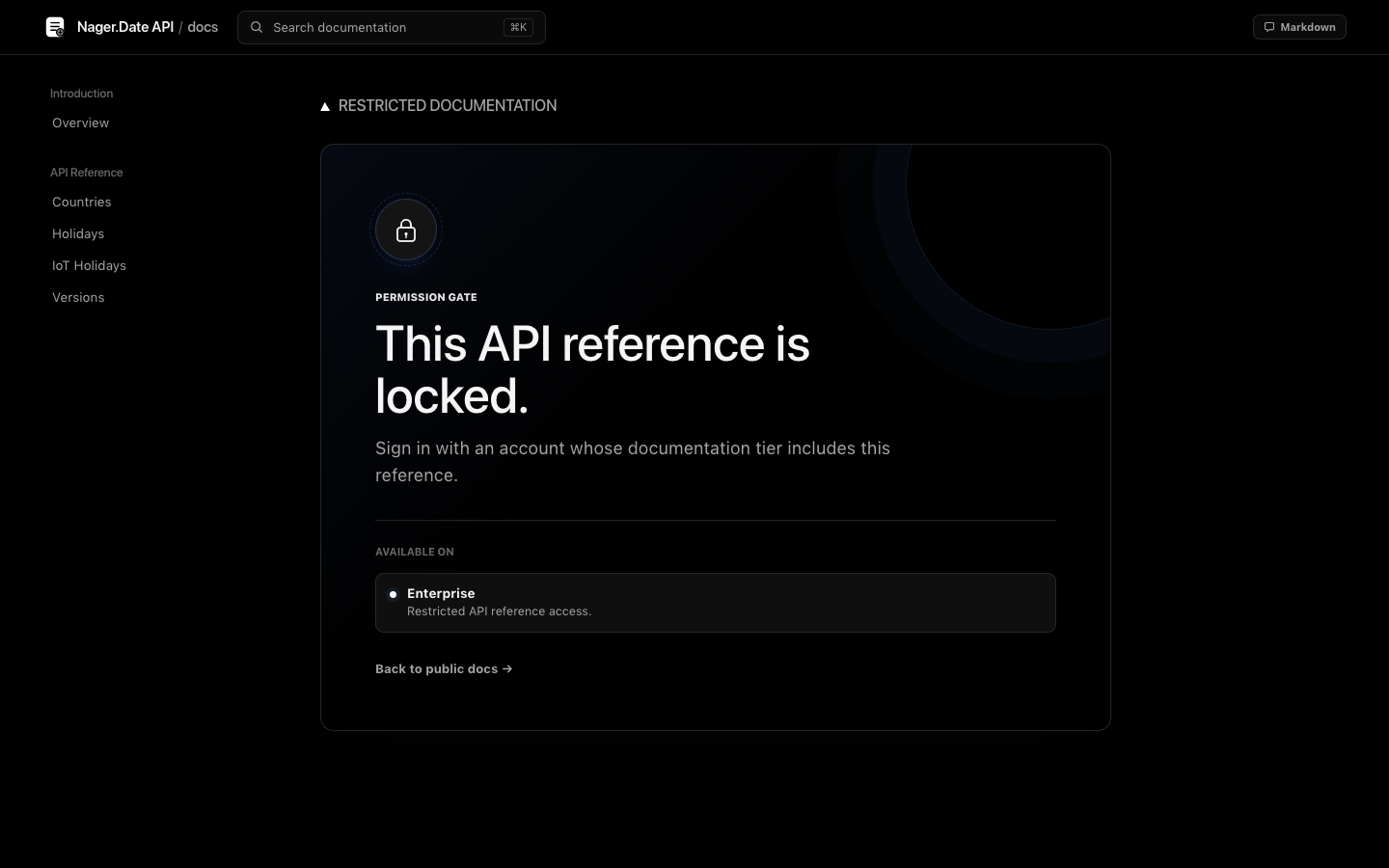
  gate:
    title: This API reference is locked.
    description: Sign in with an account that can access this reference.
    loginUrl: https://app.example.com/login
    loginLabel: Sign in to continue
Rules are evaluated from top to bottom. * matches one path segment; ** matches any number of segments. The same rules protect rendered pages and Markdown exports, and search results are filtered to the visitor's tiers.
Use this behind Cloudflare Access, oauth2-proxy, an ingress gateway, or your own authentication proxy. The proxy must:
- Remove client-supplied copies of the identity headers.
- Authenticate the visitor.
- Set the trusted tier and optional user headers.
- Prevent visitors from reaching Docsy around the proxy.
Tier values may be comma- or space-separated.
If authorization belongs in your application:
access:
  mode: locked
  provider:
    type: webhook
    endpoint: https://app.example.com/internal/docsy/authorize
    method: POST
    forwardHeaders: [cookie, authorization]
    pathHeader: x-docsy-path
    timeoutMs: 3000
The endpoint returns:
{
  "authenticated": true,
  "subject": "user_123",
  "tiers": ["developer"]
}
Timeouts, errors, and non-2xx responses fail closed.
Start with YAML for branding and stable tokens. Edit source when the request is truly about layout or behavior:
| Concern | File |
|---|---|
| Product, routes, colors, fonts, access | docsy.config.yaml |
| Shell, header, search, mobile navigation | src/layouts/DocsLayout.astro |
| API and SDK presentation | src/components/docs/ |
| Base design primitives | src/styles/docsy.css |
| YAML validation and path helpers | src/config.ts |
| OpenAPI normalization | src/lib/swagger-loader.ts |
| SDK normalization | src/lib/sdk-loaders.ts |
Generated projects include a customization brief for coding agents. Its rule is deliberate: preserve the working reference interface by default, use YAML for configuration, and touch Astro/CSS only for an explicitly requested UI change.
This is the shortest path for both access modes:
docker compose up --buildOpen http://localhost:8080/docs/.
The container detects the build type automatically. Open mode with agent.query: false serves staged static files; locked mode or agent.query: true starts the Astro Node server. The runtime image includes authored content and snippets as well as ingestion sources.
For access.mode: open:
npm ci
npm run build
Publish release/ as the web root. The configured site.basePath is already staged underneath it, and release/index.html redirects to that mount path.
Any conventional static server, object storage website, or CDN can host this output.
The public documentation portal is hosted at appgram.github.io/docsy. Main-branch CI in .github/workflows/checks.yml invokes .github/workflows/pages.yml only after validation succeeds and DOCSY_ENABLE_PAGES=true. The Pages workflow validates and builds the open-mode portal, uploads dist/, and deploys it through the github-pages environment. It can also be run manually from Actions.
For your own repository, select GitHub Actions as the Pages source and set the repository Actions variable DOCSY_ENABLE_PAGES to true. This publishes documentation only; it does not publish an npm package or create a GitHub release. The generated workflows keep this deployment gate off until you enable it.
For a repository site, set site.origin to the GitHub Pages host and site.basePath to the repository name. The Docsy portal uses https://appgram.github.io and /docsy.
For access.mode: locked:
npm ci
npm run build
HOST=0.0.0.0 PORT=8080 npm run preview
Put the process behind the trusted authentication proxy described above. Rebuild after changing access.mode, site.basePath, or ingestion configuration.
To run the same build on Bun instead:
HOST=0.0.0.0 PORT=8080 npm run start:bun
# Equivalent: bun scripts/start.mjs
start:bun serves both public static output and the Astro standalone server used for lock mode and live agent queries. Node remains the build toolchain; this is Bun production runtime support, not a claim that all development/build tools or the test runner execute on Bun. The integration suite runs actual static, locked, and agent-query requests on Bun 1.3.5, including unauthorized retrieval checks.
For a Node-build/Bun-runtime container:
docker build -f Dockerfile.bun -t docsy-bun .
docker run --rm -p 8080:8080 docsy-bun
The default Dockerfile and Compose service continue to use Node. Both Dockerfiles are included in generated projects. Bun runtime regression checks run with npm run test:runtime:bun and in the dedicated CI job.
| Command | Purpose |
|---|---|
npm run dev |
Start Astro development mode |
npm run validate |
Validate YAML, sources, API examples, components, links, anchors, and Astro types |
npm run build |
Validate, build, and stage production output |
npm run preview |
Serve the staged static build or locked Node build |
npm start |
Start the production build with Node |
npm run start:bun |
Start the same production build with Bun |
npm run create -- <dir> |
Generate a new editable project |
npm run maintain -- plan --base <ref> |
Inspect source changes and documentation impact |
npm run maintain -- run --base <ref> |
Update docs with the agent and validate the result |
npm test |
Run content, ingestion, MDX, maintenance, theme and production-runtime regression tests |
npm run release:pack |
Audit and pack a local npm release candidate without publishing |
npm run test:package |
Install the actual tarball, generate content, build and test static/locked serving |
.
├── docsy.config.yaml       # Product, theme, ingestion, navigation, access
├── content/                # Authored Markdown articles
├── sources/                # Build-time OpenAPI and SDK inputs, not public web assets
├── public/                 # Public assets only
├── src/
│   ├── components/docs/    # API and SDK UI
│   ├── layouts/            # Documentation shell
│   ├── lib/                # Ingestion, access, Markdown export
│   ├── pages/              # Generated routes
│   └── styles/             # Source-owned styling
├── scripts/                # CLI, build staging, runtime launcher
├── Dockerfile
└── compose.yaml
Issues and pull requests are welcome. Before submitting a change:
npm ci
npm test
npm run validate
npm run build
Please preserve the configuration/source boundary, keep permission checks server-side, and avoid external font services or typographic tracking.
Pull requests targeting main automatically run the Node test suite and production build, real-library generator/import checks, Bun runtime integration tests, and a clean installed-tarball end-to-end test. CI installs Bun 1.3.5 alongside Node 22. Successful open/static builds attach a seven-day docsy-static-preview-… artifact; download it and serve its mount-aware directory locally. It is not a public preview URL. Locked/server output is never uploaded as a static preview.
The combined PR checks job passes only if all four jobs succeed. No secrets, write token, automatic approval or merge are used for PR validation. Automatic Pages deployment runs only after successful main-branch CI with DOCSY_ENABLE_PAGES=true; it is enabled for this repository's public documentation portal. npm publication uses a separate manual workflow, repository gate and typed confirmation, not the Pages switch. Enforcing the combined check as a merge requirement additionally depends on the repository's branch rules.
Contributions are distributed under ELv2. By submitting a pull request, you confirm that you have the right to contribute the code under those terms. See CONTRIBUTING.md for the complete project contribution guidance.
Docsy is source-available, not OSI-approved open-source software. It is licensed under the Elastic License 2.0 © AppGram.
- Self-host Docsy for your own public, private, personal, or commercial documentation.
- Configure and modify the YAML, Markdown, Astro components, styles, adapters, and runtime.
- Replace or remove visible Docsy and AppGram branding from your documentation pages, including the default footer and logo.
- Copy, redistribute, and publish modified versions when you include ELv2 and clearly state that you changed the software.
- Hire a consultant to configure or deploy Docsy for you.
- Keep your Markdown, OpenAPI files, SDK metadata, branding, and other documentation content under terms of your choosing.
- Offer Docsy to third parties as a hosted or managed documentation service that exposes a substantial set of Docsy's features.
- Rebrand Docsy as your own competing SaaS documentation builder and charge customers to access it.
- Remove or hide the
LICENSEterms or copyright notices from the Docsy software or copies you redistribute. - Circumvent license-key functionality or protected features if Docsy adds them.
ELv2 does not require a visible "Powered by Docsy" or "Docsy provided by AppGram" notice on your published documentation. It does require the legal notices to remain with the software. ELv2 also does not require you to publish private modifications or prohibit commercial activity generally: consulting, integration, and using Docsy for a commercial product's own documentation remain allowed. The restriction is providing Docsy itself as a hosted or managed service. The license text controls if this summary and ELv2 differ.